
What does construction camera software actually do?
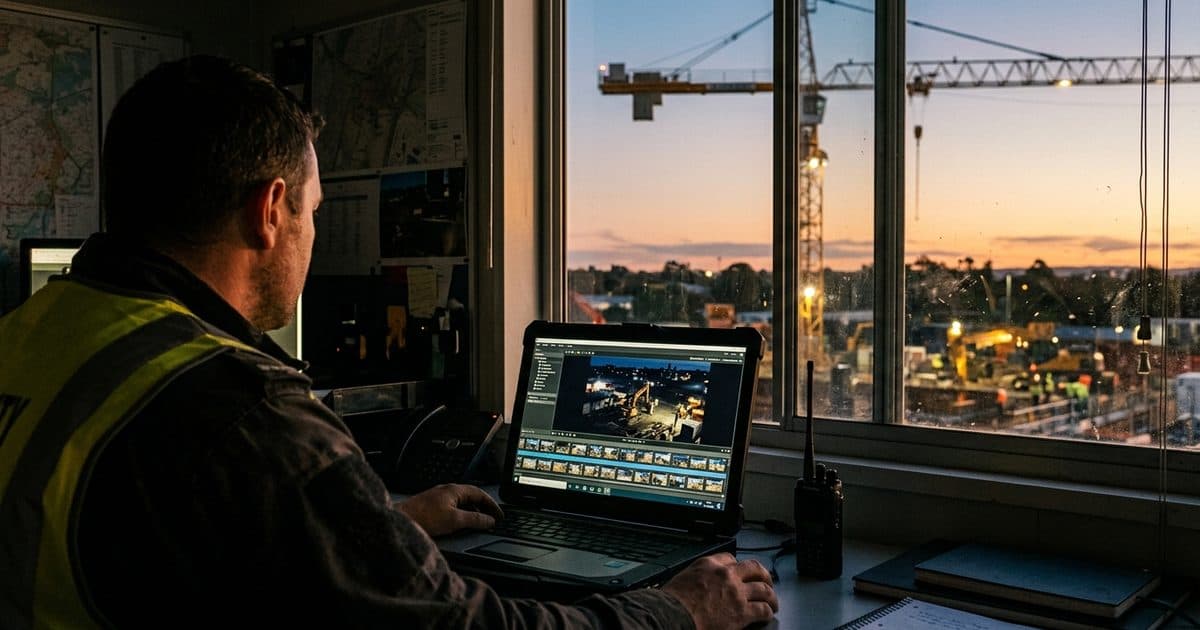
Cameras capture video; software makes it usable. A jobsite camera platform sits between the lenses on your site and the people who need answers from them, and it typically covers six jobs: live viewing, historical search, clip export and annotation, automated activity detection, alert routing, and administration (users, permissions, retention, integrations).
It helps to be clear about what category of tool you are buying. Some products are built mainly for marketing and progress documentation, capturing periodic still frames for construction time-lapse cameras and stakeholder updates. Others are built for security and operations, with continuous or event-based recording, detection analytics, and escalation workflows. Many contractors ultimately want both, but the software architecture differs, and a time-lapse tool pressed into security duty usually fails exactly when you need it: at 2 a.m., when something is happening.
The buyer's mistake to avoid is evaluating camera resolution and ignoring the platform. A 4K camera with clumsy software gives you beautiful footage you cannot find, export, or act on.
The capability checklist: compare platforms on these features
Use this checklist as a scoring sheet during demos. Ask each vendor to show the workflow live rather than describe it.
| Capability | Why it matters | What to ask |
|---|---|---|
| Live dashboard | One view across cameras and sites for supers and PMs | Can I see multiple sites and cameras on one screen, on any device? |
| Timeline and search | Finding one moment in weeks of footage is the core daily task | How do I jump to a date, hour, or detected event? How fast is scrubbing? |
| Clip export and markup | Disputes and claims need dated, unaltered clips with annotations | Do exports keep original timestamps and metadata? Can I annotate without altering the source? |
| AI activity detection | Flags people, vehicles, and after-hours motion so nobody watches feeds all day | What does the AI detect? What is the false-alert rate, and is there human verification? |
| Alert routing | The right alert must reach the right person at the right hour | Can rules differ by zone, time, and event type? Are alerts escalated if unacknowledged? |
| User roles | Owners, subs, and field staff need different access levels | Can I scope access by role, site, and camera? Is there an audit log? |
| Integrations | Footage is more useful tied to schedules and daily logs | Does it connect to common project-management tools or export via API? |
| Retention controls | Disputes surface months after the footage would have expired | What is default retention? Can I place legal holds or archive incidents indefinitely? |
| Mobile access | Most users are in the field, not at a desk | Is the mobile app full-featured, including export and alert acknowledgment? |
Live dashboards and timeline search: the daily workflow
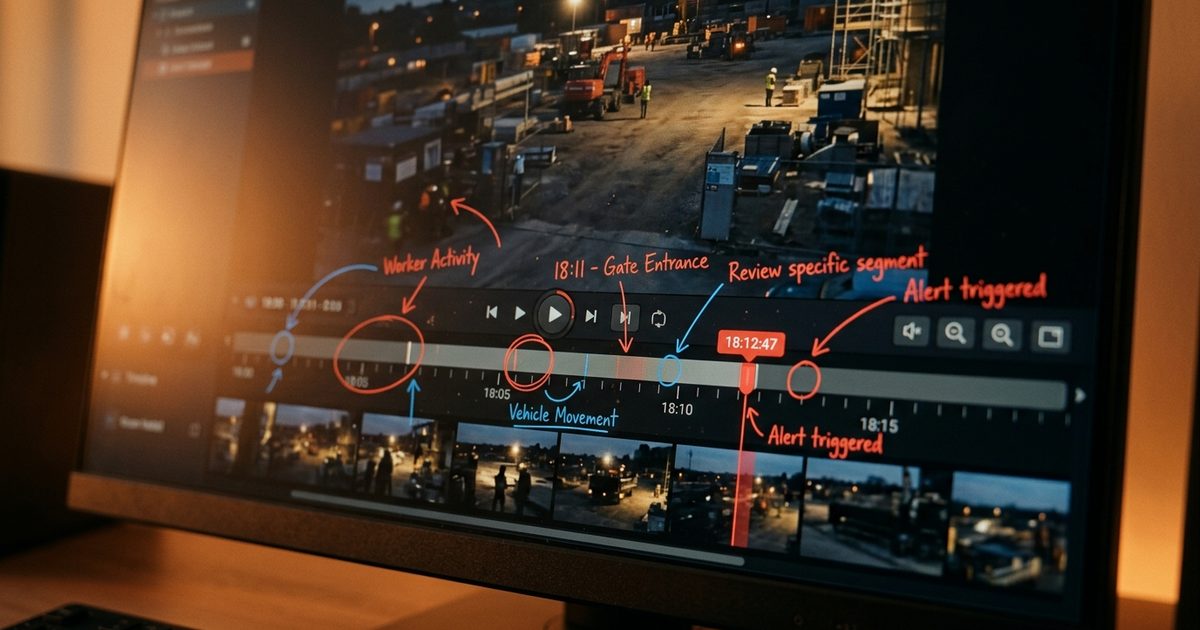
Start your evaluation with the two features people will use every day. The live dashboard should show every camera on every active site in a single view, load quickly on a phone in the field trailer, and make it obvious which feeds are healthy and which are offline. Ask vendors how camera outages are surfaced; a dead feed you discover three weeks later, after an incident, is worth nothing.
Timeline search is where platforms differ most. The question to ask is simple: how long does it take a project engineer to find the moment a specific delivery arrived last Tuesday? Strong platforms let you jump to a date and hour, scrub at variable speed, and filter the timeline by detected events, such as vehicle entries or after-hours motion, so you review minutes instead of days. Weak platforms make you download raw files and hunt manually, which in practice means the footage never gets used.
Ongoing visibility also feeds broader construction site monitoring routines: morning site checks, verifying that gates were secured, confirming crews and deliveries arrived, and documenting weather conditions on disputed days.
Clip export, markup, and evidence workflows
Treat evidence handling as a first-class requirement, not an afterthought, because the dispute data says you will eventually need it. Arcadis reported in 2022 that errors and omissions in contract documents were the leading cause of North American construction disputes for consecutive years. When the documents are ambiguous, a dated visual record of what actually happened on site, when materials arrived, when an area was turned over, what condition adjacent property was in, often becomes the most persuasive artifact in the room.
For that record to hold up, the software has to do specific things. Exports should preserve original timestamps and metadata rather than re-encoding clips into files with a new creation date. Annotation tools should layer markup over the video without altering the source. The platform should log who accessed and exported footage, supporting a chain of custody if a clip ends up in front of an adjuster or arbitrator. Our guide to using security camera footage as evidence covers the handling details; at the buying stage, the key question for vendors is: "Walk me through producing a clip package for an insurance claim, start to finish."
Milestone archiving matters here too. Default retention windows will silently delete the footage from a foundation pour or utility trench long before a related claim appears, so look for one-click archiving of key phases and incidents outside the normal retention cycle.
AI activity detection and alert routing
Nobody watches live feeds for ten hours, so detection and routing determine whether your cameras are proactive or purely forensic. Modern platforms use AI to classify people, vehicles, and equipment, and to flag defined events: motion in a laydown yard after hours, a vehicle at the gate on a Sunday, a person in a restricted zone. The practical questions are accuracy and workflow. Ask what the system detects out of the box, how it suppresses false alerts from headlights, wildlife, and blowing debris, and whether a human verifies events before anyone gets a 3 a.m. call.
Routing rules deserve equal scrutiny. Good software lets you send different events to different people by zone, schedule, and severity: after-hours perimeter motion to the monitoring center, a gate-open alert to the superintendent, an unacknowledged critical alert escalated automatically. The goal is a force multiplier, so people, yours or your security partner's, spend their time handling verified incidents instead of triaging noise.
Detection also has a safety dimension. The Bureau of Labor Statistics counted 1,075 construction fatalities in 2023, and dated video is increasingly part of incident review: reconstructing what happened, identifying contributing conditions, and documenting corrective action. Some platforms extend detection toward proactive safety analytics, an area we explore in AI jobsite safety monitoring.
User roles, integrations, and retention controls
Administration features feel boring in a demo and become critical in month three. Role-based access lets you give an owner's rep view-only access to two cameras, a subcontractor access for the duration of their scope, and your safety director export rights across every site, without sharing one password around. An audit log of logins, views, and exports protects you when footage access itself becomes a question in a dispute.
Integrations extend the record's value. Platforms that connect to project-management and daily-log tools (evaluate the category generically; specific integrations change often) let you attach visual documentation to schedule updates, RFIs, and daily reports, which is exactly where dispute evidence needs to live. Where a native integration does not exist, an API or reliable export path is the fallback to insist on.
Retention deserves a deliberate decision, not a default. Match the platform's retention settings to your contract's claims periods and your insurer's expectations, confirm you can extend retention per camera or per project, and verify what happens to your footage when the project ends or you change vendors. Footage you cannot take with you is footage you do not really own.
Mobile access and field usability
The best evaluation test costs nothing: hand the vendor's app to a superintendent in a truck and ask them to find yesterday's concrete pour. Field usability, a full-featured mobile app, fast load on jobsite cellular, offline tolerance, and simple clip sharing, predicts adoption better than any feature list. A platform that requires a desktop and a training manual will be used by one person in the office; a platform a foreman can use one-handed becomes part of daily operations.
Where monitored mobile surveillance fits
Software is one layer of a working system; someone still has to respond when detection finds something real. That is the model behind VDS mobile surveillance units: solar-powered camera trailers running on a monitored platform that combines live dashboards, timeline search, AI detection, and human verification in a 24/7 security operations center, so alerts arrive pre-verified and evidence exports come from one system instead of stitched-together tools. The broader idea, turning camera data into operational awareness across security, safety, and progress, is what we call site intelligence.
Whichever direction you go, buy the workflow, not the camera. Score platforms against the checklist above, make vendors demonstrate the evidence-export path live, and pick the system your field team will actually open every day. The dispute you document your way out of will repay the diligence many times over.