
Why These Sites Are Different
A building has a footprint. A bridge, a highway widening or a utility corridor has a path. The work area may run for miles, cross land with different owners and touch public roads at many points. A fence around the whole thing is neither affordable nor realistic.
Several other conditions make it harder:
- Distance from existing power and communications.
- Equipment and materials left outside, often at the edge of public land.
- Public access along the length of the route, including fishing access, trails and informal roads.
- Weather and water, from river levels to storms, that can change the site overnight.
- A work front that shifts, so the target moves.
The project still has to protect expensive equipment, copper and metal, fuel and materials that thieves can resell. The road construction work zone security article covers the highway side in more detail.
Cover the Concentration Points
Instead of trying to watch every foot, identify where value gathers. On most infrastructure projects that comes down to a short list.
| Location type | What is at risk | Coverage idea |
|---|---|---|
| Equipment staging area | Excavators, loaders, trucks, attachments | A view of the whole yard and gate |
| Material laydown | Steel, rebar, cable, conduit, precast | Perimeter view plus the access road |
| Fuel storage | Diesel and fuel tanks | Close coverage with good night visibility |
| Field offices and containers | Tools, electronics, records | Entrances and approaches |
| Work front | Active equipment and partially built structure | Mobile coverage that follows the crew |
| Access roads and pull-offs | Unauthorized vehicles | A view of each route into the site |
Fuel is worth special attention because it is portable and valuable. See the guide to diesel fuel theft prevention for site habits that reduce the problem.
Power and Connectivity Without Infrastructure
The standard solution on remote work fronts is a solar-powered trailer with cellular connectivity. It avoids trenching, avoids generators and avoids asking the owner for utility access. The article on construction site cameras with no Wi-Fi explains the basic approach, and the overview of solar security camera trailers covers how the power side works.
Cellular signal is the part that needs checking. Coverage varies a great deal in rural and river corridor areas, and a bridge site can sit in a valley with a weak signal. Test the signal at the exact spot where the unit will stand, and ask the provider what options exist if coverage is weak. The article on 4G and 5G security cameras describes what to ask, and a satellite link is an option in some cases, as covered in satellite internet for security cameras.
River Sites, Floodplains and Weather
Bridge work over water adds risks that most construction does not face. Temporary access roads, causeways and staging areas near the bank can flood. Equipment may need to be moved on short notice when water rises.
Plan placement accordingly:
- Put cameras and trailers above expected high water and out of drainage paths.
- Keep an access route that stays open when the area is wet.
- Confirm with the project's environmental and safety leads where equipment may and may not stand.
- Have a plan for moving the unit if conditions change.
After a storm, damage and theft often follow. The guide to storm damage and post-disaster site security describes how monitoring helps when access is limited.
Highway Sites and Traffic Safety
On projects beside live traffic, equipment placement is a safety matter. Follow the traffic control plan and the owner's rules for where objects may stand relative to the roadway and the work zone, and confirm them with the project's safety lead before you set up. Do not assume that the best camera view is also an acceptable location.
Visibility from the road can work in your favor. A visible unit with a mast and lights signals that the site is watched, which tends to discourage opportunists. The article on surveillance trailer site selection covers the tradeoffs between sightlines, safety and exposure.
Public Land, Easements and Permissions
Infrastructure sites often cross public property, easements and private land held by different parties. Before placing a trailer, confirm that the project has the right to occupy the location and that the owner agrees to the camera's field of view. Recording rules and notification requirements vary by state, so check with counsel.
Many infrastructure owners also have their own security standards, especially for facilities that are part of critical systems. For related background, see the overview of critical infrastructure physical security.
Keeping Coverage With a Moving Work Front
Linear projects advance, and the equipment, crews and laydown move with them. A plan that covers last month's work front protects nothing today. Review coverage at each major move, and decide in advance who is responsible for relocating the unit and updating the monitoring team.
A simple rhythm helps. At each move, confirm the new location against the site map, check cellular signal, confirm the view of the equipment yard and access road, and tell the monitoring team what has changed. Mobile trailers suit this pattern because the equipment is designed to be relocated, not installed once.
How VDS Fits
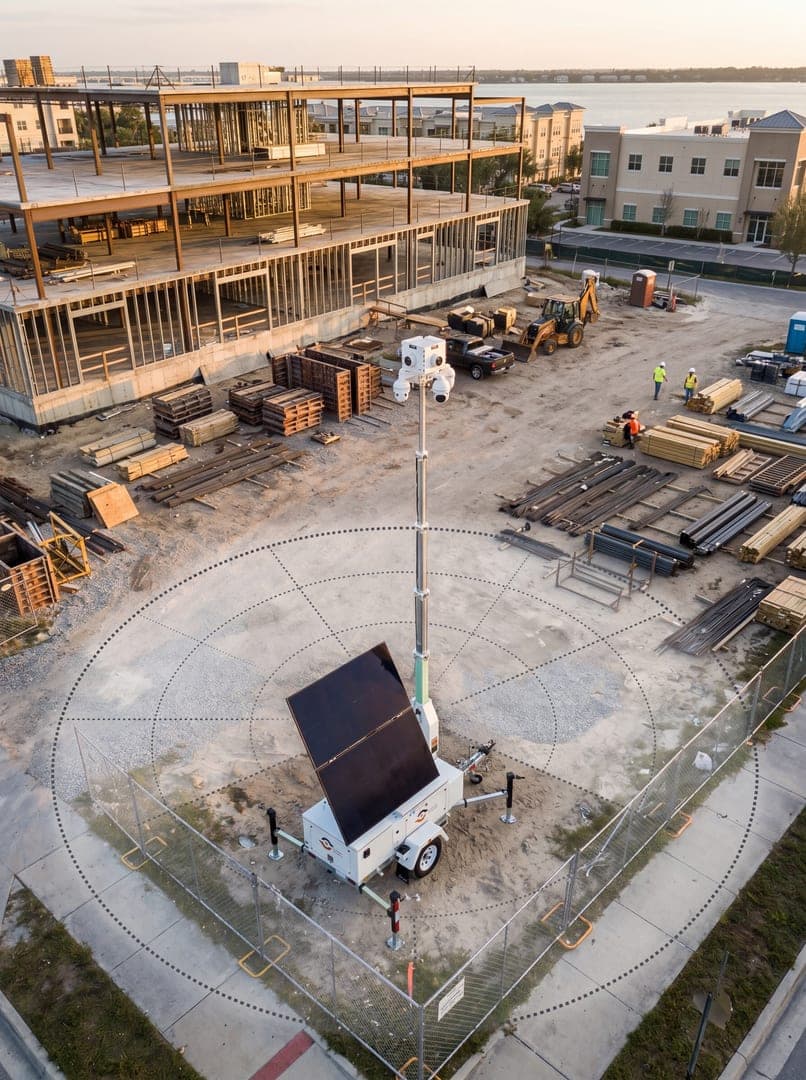
VDS mobile surveillance units were designed for sites with no utilities. A 900W bifacial solar array charges an 11.8 kWh LiFePO4 battery bank with reserve for 3-5 consecutive cloudy days, and dual-SIM 4G/5G cellular carries the video. There is no site power, internet or trenching to arrange.
Each unit carries a 5MP PTZ with 25x optical zoom and three 8MP wide-angle cameras on a 22 ft telescopic mast, with a 30 ft mast available. AI detection covers people, vehicles, loitering, objects and license plates. A 24/7 US-based security operations center verifies events, responds with live talk-down and sends police dispatch with video, so people, yours or your security partner's, handle verified incidents. Most deployments go live in about a week. See the mobile surveillance unit or talk to our team about your alignment.