
What counts as an intrusion
In a roadway work zone, an intrusion is any entry into the protected area that the traffic control plan did not intend. The most familiar case is a vehicle leaving its lane and crossing into the taper, the buffer or the work space. Others include a vehicle driving through a closure, a pedestrian walking into an active area, or a person entering the zone after crews have left for the day.
These events differ in speed and consequence, so a good monitoring design starts by listing which ones matter at the site. Work zones that stay in place overnight have one additional concern. Equipment, fuel and materials sit unattended, and the same detection that watches for vehicles can watch for people. For that side of the problem, see our guide to road construction work zone security.
How detection works
Several technologies can detect an intrusion. Each has strengths and limits, and many sites combine more than one.
- Video analytics. Software examines the video feed and classifies what it sees as a person, a vehicle or something else. It can alert when a classified object crosses a line or enters a zone drawn on the image.
- Radar. Radar measures the position and speed of objects and works in darkness and many weather conditions. See radar perimeter detection for the basics.
- Other sensors. Pressure, beam or laser-based sensors can mark a boundary, though they usually need installation and calibration at each site.
- Manual watching. A person monitors live video and calls out events. This is flexible but depends on attention and on how many feeds one person is watching.
Video analytics has an advantage that matters in a work zone. It produces a picture along with the alert, so the person receiving it can see what happened instead of guessing.
Why speed and precision decide the value
Detection that arrives late is a record, not a warning. For a vehicle moving at roadway speeds, the time between crossing a line and reaching crew or equipment can be very short. No alert can promise to prevent harm, and responsible providers do not claim it. What a system can do is shorten the gap between an event and someone knowing about it, and capture clear evidence afterward.
Precision matters as much as speed. A system that alerts on every shadow, insect or passing headlight teaches people to ignore it. Careful zone drawing, sensible sensitivity and classification of people and vehicles reduce this problem. Our guide on reducing false alarms in video analytics goes into the tuning steps.
Where cameras should look
A work zone is long and narrow, which makes camera placement different from a compact site such as a yard.
- Approach side. View the traffic approaching the taper, so you can see what enters and how.
- Buffer and work space. Watch the area between the traffic and the crew, which is where an entry becomes serious.
- Equipment and staging. Cover the places where machines, materials and fuel are stored.
- Access points. Watch gates, ramps or openings where people and vehicles can enter after hours.
A pan-tilt-zoom camera can cover a long view and zoom for detail when something happens. One with auto-tracking can follow a subject once it is detected. Fixed wide-angle cameras remain useful for watching a wide area continuously, so many sites use both.
Placement relative to traffic is a safety question as well as a coverage question. Follow the traffic control plan and the rules of the agency that controls the roadway, and confirm them before any equipment is positioned.
Alerts and who receives them
An alert has to reach a person who can do something with it. In a work zone that may be a crew supervisor, a flagger, a project manager, a monitoring center or all of them in sequence. Decide the following before the project starts.
- Who is alerted first, and by what method.
- What that person is expected to do.
- What happens if they do not respond.
- When law enforcement or the roadway agency is contacted.
- How the event is documented afterward.
If audio is available at the camera, a spoken warning can reach a person who has walked into a closed area. Live talk-down does not help with a vehicle at speed, but it is useful for after-hours entry.
Quick reference
| Concern | Typical approach | What to ask a provider |
|---|---|---|
| Vehicle entering the work space | Video analytics or radar zone alerts | How quickly does the alert reach a person? |
| Pedestrian in an active area | Video classification of people | How does it tell people from other objects? |
| After-hours entry | Zone alerts plus live monitoring | Who verifies and who responds? |
| Equipment and fuel theft | Cameras on staging areas | Is video retained and exportable? |
| Poor light or weather | Infrared, radar or both | How does it perform at night and in rain? |
| Placement near traffic | Follow the traffic control plan | Is the unit compatible with the plan? |
What to ask a provider
Ask how detection is done, and ask to see it working at a site like yours. Ask what the alert contains, whether it includes video, and how long it takes to arrive. Ask who watches, at what hours, and what they do when an alert is real. Ask how the system handles loss of connection or power. Ask what is retained and who owns the video. Be wary of any provider that promises prevention instead of describing detection, verification and response.
How VDS fits
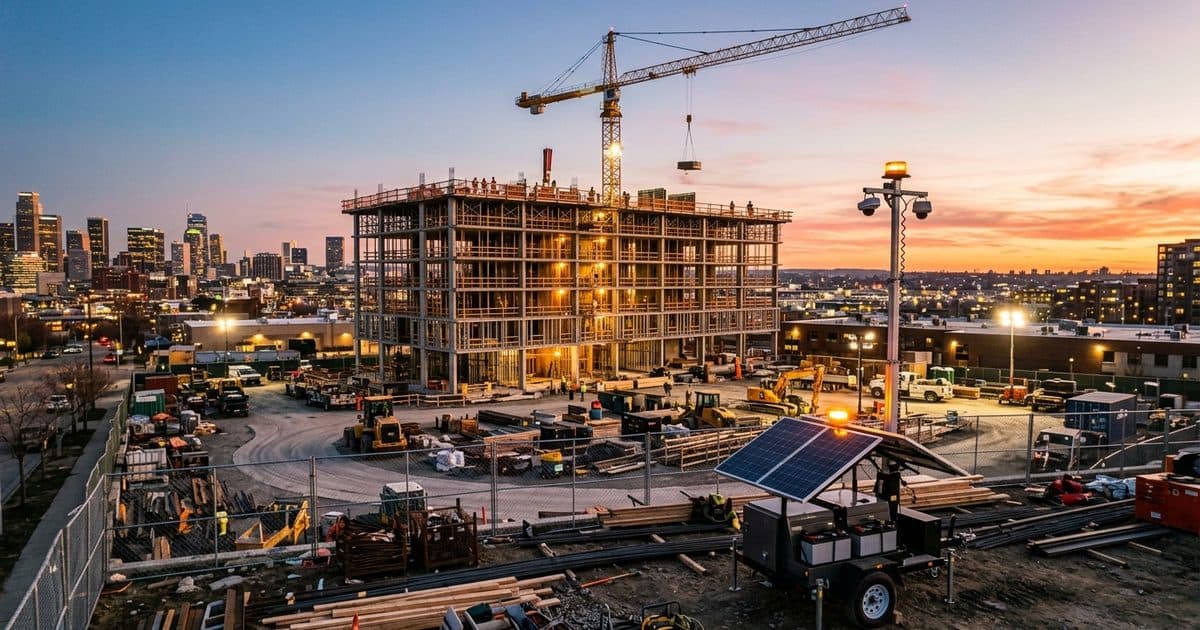
VDS builds solar-powered mobile surveillance trailers for sites without power or internet. A unit carries a 5MP PTZ with 25x optical zoom and three 8MP wide-angle cameras on a 22 ft telescopic mast, with dual-SIM 4G/5G cellular and no trenching. AI detection identifies people, vehicles and loitering. Our 24/7 US-based security operations center verifies events, speaks to people through a loudspeaker, and can dispatch police with video, so people, yours or your security partner's, handle verified incidents.
Most deployments go live about a week after a signed quote, and setup takes one person under 20 minutes. Learn more about the mobile surveillance unit or talk to our team about your work zone.