
How basic motion detection works
Traditional motion detection, sometimes called pixel-change or video motion detection, is simple. The camera or recorder looks at consecutive frames and measures how much of the image changed. If the change passes a threshold, the system flags motion. You can usually set sensitivity and draw zones to include or exclude parts of the picture.
This is cheap, fast and available on almost every camera. For a quiet indoor room, it can be adequate. Outdoors, it falls apart, because the world produces a constant stream of harmless change.
Why it causes false alarms
Pixel change does not carry meaning. Common triggers at business sites include:
- Shadows moving as clouds pass or the sun shifts.
- Headlights sweeping across a fence or wall.
- Rain, snow and blowing debris.
- Insects and spiders drawn to infrared emitters at night.
- Tree branches, flags, tarps and loose fencing moving in wind.
- Automatic exposure changes when lighting shifts.
- Small animals crossing the field of view.
Turning sensitivity down cuts noise but also misses real events, such as a slow, careful intruder. Turning it up catches more but buries real events in junk. The tradeoff never fully resolves because the method has no concept of what moved.
False alarms are also costly beyond the annoyance. People who see too many learn to ignore alerts, and a monitoring team that has to open every one cannot give each the attention it deserves. Our guide to reducing false alarms in video analytics goes deeper on tuning.
How video analytics work
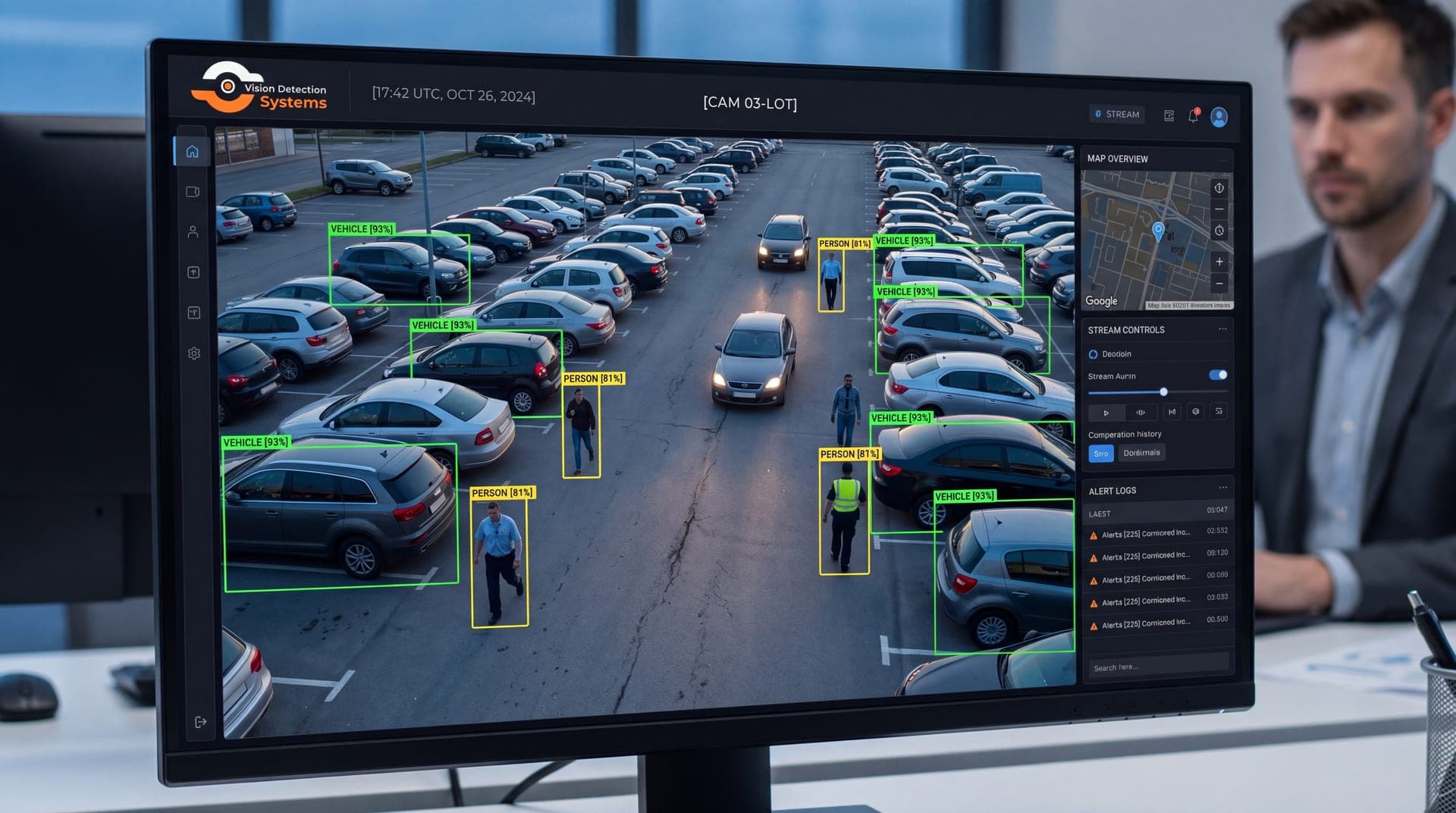
Video analytics replace the pixel-change question with a recognition question. A model trained on large sets of labeled images looks at the scene and decides what objects are present, where, and whether they are moving.
That allows classification. The system can distinguish between a person, a vehicle and everything else, and it can ignore shadows, weather and most animals. On top of classification, analytics can apply rules.
- Zones and lines. Alert only when a person enters a defined area or crosses a virtual line.
- Direction. Alert on movement toward a fence rather than along it.
- Dwell time. Alert when someone stays in an area longer than expected, the basis of loitering detection.
- Object type. Treat a person differently from a vehicle at the same location.
- Plates. Read license plates where the camera is set up to capture them.
Analytics can run on the camera itself or on a server, and each approach has strengths. Our article on edge versus cloud video analytics explains the difference.
Side-by-side comparison
| Factor | Basic motion detection | Video analytics |
|---|---|---|
| What it detects | Pixel change | Classified objects such as people and vehicles |
| Typical outdoor false alarms | Many | Fewer, though not zero |
| Rules | Sensitivity and zones | Zones, lines, direction, dwell time, object type |
| Resource needs | Very light | Heavier, on the camera or a server |
| Setup effort | Low | Moderate, with placement mattering more |
| Best for | Quiet, controlled spaces | Outdoor, remote or high-noise sites |
For a broader introduction, see AI video analytics for security cameras and the platform analytics overview.
Tuning and maintenance
Analytics are not a set-and-forget feature. Seasons change foliage, new equipment arrives, and lighting shifts, all of which can alter what the camera sees. Plan to review alerts regularly, adjust zones when site layout changes, and keep camera lenses clean. Teams that treat tuning as ongoing work tend to see steadier results than those who set it once.
Limits of analytics
Analytics are not magic. They depend on what the camera can see. Poor mounting angles, heavy glare, fog, dense rain, very long distances and cluttered scenes all lower accuracy. A person far from the lens may be a few pixels tall, which gives a model little to work with.
Models can also make errors that humans find odd. A mannequin, a statue or a reflection may be flagged as a person, and a person in unusual clothing, crouched or partly hidden may be missed. Accuracy varies by provider and by scene, so be cautious of any claim of perfect detection.
Placement matters as much as software. Cameras mounted at the right height and angle, with controlled lighting and clear zones, give analytics the best chance. Zones should be drawn to match real risk, such as a fence line or a storage area, not the whole image.
Why a human still matters
Even strong analytics generate occasional false positives and rare misses. The point of analytics is to decide which events deserve human attention, not to remove people from the process. That is the idea behind video-verified alarm response. The software filters, a trained operator looks at the live video, and only confirmed threats trigger a response.
This matters for outcomes. A 2019 systematic review of 76 studies found actively monitored camera systems associated with about a 15 percent reduction in crime, while passive recording-only systems showed no significant effect. Detection that no one acts on is just recording with extra steps.
Questions to ask a provider
- What do the analytics detect, and in what lighting and weather conditions have they been tested?
- Where do the analytics run, on the camera or elsewhere?
- How are false alerts handled, and who reviews alerts before anyone is contacted?
- Can zones and rules be adjusted for my site, and who does that work?
- What does the system do after an alert is confirmed?
How VDS fits
VDS mobile surveillance units use AI detection for people, vehicles, loitering, objects and license plates, and platform analytics pages also exist for fire and smoke, PPE compliance and people counting. A 24/7 US-based security operations center verifies events, responds with live talk-down through a loudspeaker, and then dispatches police with video when needed. Cameras and AI do the watching so people, yours or your security partner's, handle verified incidents.
To talk through the detection needs at your site, contact our team.
Sources
- Piza, E. L., Welsh, B. C., Farrington, D. P., & Thomas, A. L. (2019). CCTV surveillance for crime prevention: A 40-year systematic review with meta-analysis. Criminology & Public Policy, 18(1). onlinelibrary.wiley.com