
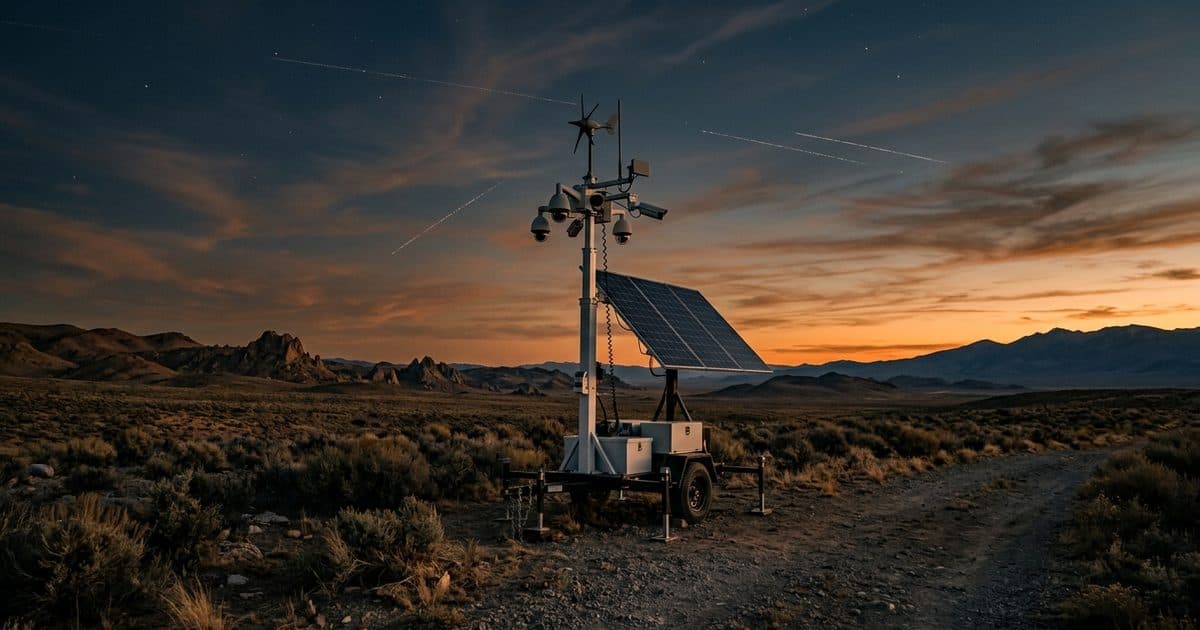
This article explains the pieces in plain terms. For the wider question of running cameras with no network at all, see our guide to security cameras without internet.
How a cellular camera connects
Every cellular camera has the same basic chain:
- The camera captures video and runs any onboard processing.
- A cellular modem talks to nearby cell towers. In some products the modem is built into the camera. In others it sits in a separate router or gateway that the camera plugs into.
- A SIM identifies the device to a carrier and allows it onto the network. Some devices use a physical SIM and some support an embedded one.
- The carrier network carries the traffic to the internet.
- The destination is a cloud service, a recorder or a monitoring center that receives the video and alerts.
Because everything rides on the carrier's network, the camera behaves like any other internet-connected device once the link is up. That includes the need to secure it, which we cover in our security camera cybersecurity guide.
4G and 5G in plain terms
4G and 5G are generations of mobile network technology. 5G can offer higher speeds and lower delay where it is deployed well, but coverage differs a lot from place to place, and many 5G connections still lean on 4G infrastructure in the background.
For a security camera, the generation matters less than what the site actually gets. Video upload needs steady upstream capacity, not just a good download number. A strong, stable 4G signal can serve a camera better than a marginal 5G one. Test at the exact mounting location, ideally at different times of day, because network congestion varies.
SIMs, carriers and redundancy
The SIM decides which carrier network the camera can use. Several arrangements are common:
- Single carrier. One SIM, one network. Simple, but if that carrier has weak coverage at your site, you have no alternative.
- Dual SIM. The device holds two SIMs, often on different carriers, and can fail over from one to the other. This helps with coverage gaps and with carrier outages.
- Multi-network SIM. A single SIM that can roam across more than one network, which improves the odds of getting a usable signal.
Ask any provider how failover works, how quickly the device switches, and whether the two networks are truly independent. Also ask who manages the data plans, since that affects billing and support when something goes wrong.
What drives data use
Data use depends on what you send, not on how many cameras you have. The main factors:
- Resolution and frame rate. Higher values mean larger streams.
- Compression settings. Efficient video codecs shrink the stream for a given quality.
- Continuous vs event-based sending. Streaming everything all the time costs much more than sending clips or alerts when something happens.
- Live viewing. Each time someone opens a live view, that is additional upstream traffic.
- Multiple streams. Cameras that send a main stream and a sub-stream use more than those that send one.
The usual way to keep data under control is to record locally at full quality and send only what is needed over the cellular link: alerts, short clips and lower-quality live views. Our comparison of event-based vs live video monitoring explains how those two approaches differ in practice.
Signal strength and antennas
Cellular performance is mostly about the radio link. Three things affect it:
- Distance and terrain. Rural sites may be far from towers, and hills, buildings and dense trees block signals.
- Enclosures and mounting. A modem inside a metal cabinet or a low mounting position can lose a lot of signal.
- Antenna choice and placement. An external antenna mounted higher and clear of metal often improves both speed and stability. Directional antennas can help at the edge of coverage, but they must be aimed correctly.
Before committing to a site, run a signal check at the actual camera height. Look at signal quality as well as signal bars, since a strong but noisy signal can still perform poorly. If the signal is weak, moving the antenna a short distance can change results more than changing the camera.
When the link drops
Cellular links drop for many reasons: tower maintenance, congestion, weather, a damaged antenna, or a data plan that has run out. A camera should not lose its footage when that happens.
| Question | What to look for |
|---|---|
| Does it keep recording during an outage? | Yes, to local storage on the device |
| How long can it record locally? | Depends on storage size, resolution and retention settings |
| What happens to alerts? | Queued and sent on reconnect, or flagged as missed |
| Does it notify you the link is down? | A heartbeat or health alert when the device stops checking in |
| Does it switch networks? | Failover to a second SIM or carrier |
Local recording is the safety net. It is also why monitoring providers watch the health of the connection itself and not just the video. Our guide to cloud vs local video storage covers how to balance the two.
Questions to ask before you buy
- Who supplies and manages the SIMs and data plans, and what happens if usage runs high?
- What signal check was done at the real mounting position, and how was it measured?
- How does failover work, and how is a switch reported?
- How much footage is stored locally, and how long does it last without a link?
- What alert do you receive if the device stops checking in?
A provider that answers these clearly has usually thought through the connectivity side and not only the camera.
How VDS fits
The VDS mobile surveillance unit uses dual-SIM 4G/5G cellular and needs no site power, internet or trenching, so it can be placed where there is no wired network. A 5MP PTZ with 25x optical zoom and three 8MP wide-angle cameras cover the site, AI detects people, vehicles, loitering, objects and license plates, and a 24/7 US-based security operations center verifies events and responds. For sites where power is also missing, see security cameras without Wi-Fi or power. If you want to check a specific location, talk to our team.