
This guide covers the three ways contractors solve the no-wifi problem, what each one actually costs in practice, and the mistakes that leave sites with footage nobody can use when it matters. For farms, substations, and other non-construction sites, see security cameras without Wi-Fi or power.
Why Jobsites Can't Just Use Wifi Cameras
Standard home-style wifi cameras need a local network with a router broadcasting a signal within 100-150 feet, plus a stable power outlet. New construction sites rarely have either until utilities are roughed in, which can be months into the project. Even when power exists, running extension cords and access points across an active site creates tripping hazards and a single point of failure if one cord gets cut or unplugged.
Open lots, remote land-clearing sites, and multi-acre logistics yards make this worse. A camera mounted at one corner of a five-acre site is often too far from any central router to hold a signal, and moving the router isn't practical once concrete is poured or equipment is staged.
The fix isn't a stronger wifi signal. It's removing wifi from the equation entirely and running cameras on cellular data instead.
Cellular Cameras: The Standard Fix for No-WiFi Sites
Cellular security cameras connect directly to 4G/LTE or 5G networks the same way a smartphone does, using a SIM card instead of a wifi connection. That means the camera gets online anywhere there's cell coverage, independent of anything on-site. For most U.S. metros and suburban construction corridors, that coverage is reliable enough to stream alerts and clips in near real time.
Cellular units pair almost universally with solar panels because there's no outlet to plug into either. A solar panel plus battery bank keeps the unit running around the clock without a generator or a crew member swapping batteries weekly.
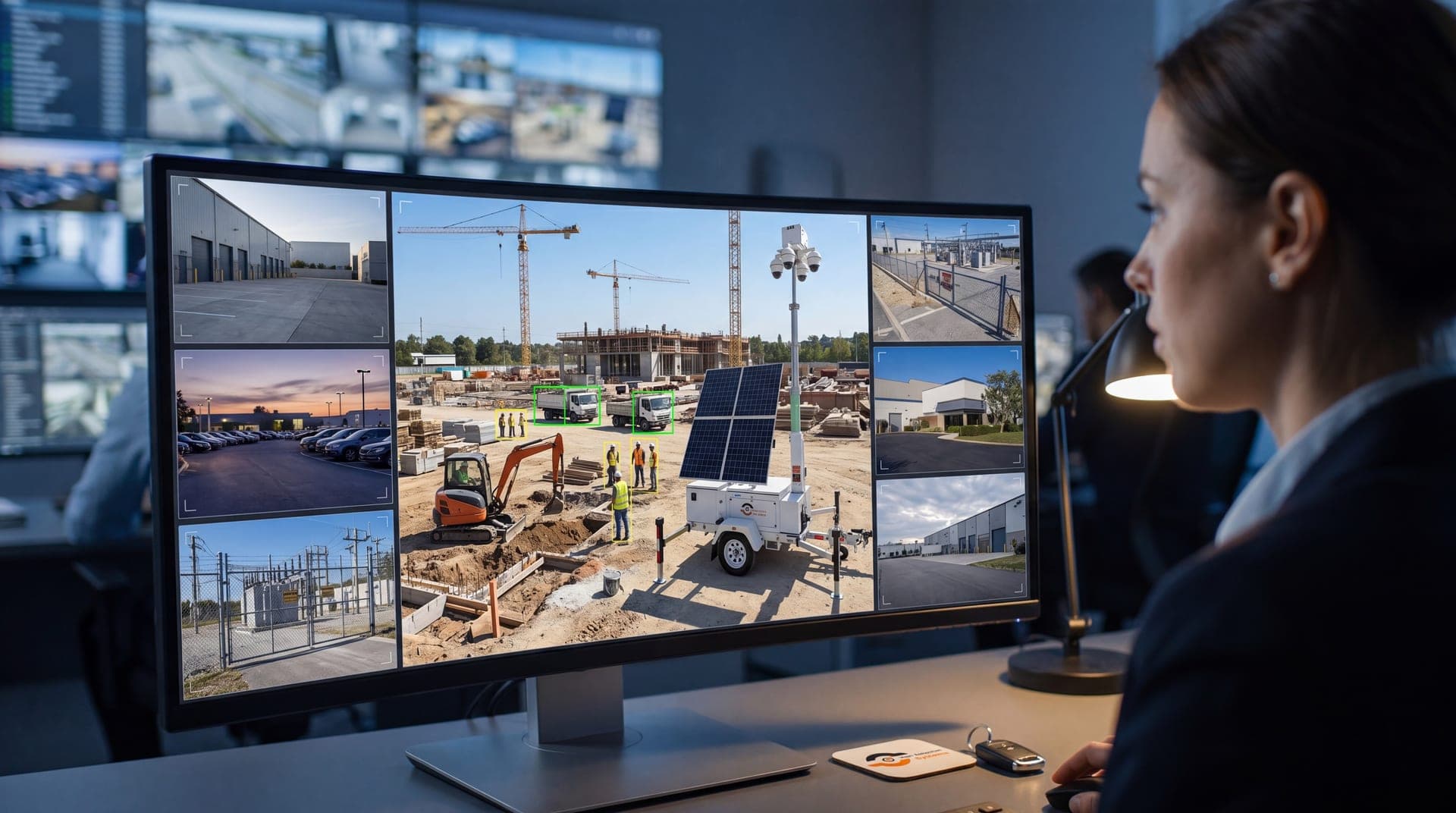
This is the combination behind most mobile surveillance trailers built for construction: cellular connectivity for data, solar for power, and a mast that gets the camera high enough to see over stored materials and parked equipment.
Mobile Surveillance Trailers vs. Standalone No-WiFi Cameras
A standalone cellular camera solves connectivity for one fixed point. A mobile surveillance trailer solves connectivity, power, elevation, and deterrence together, and it can relocate as the site changes phases. For active construction—where the risk zone shifts from the material laydown area in month one to the finished building in month six—that mobility matters more than most contractors expect going in.
Here we break down where each option fits.
| Option | Power Source | Best For | Limitation |
|---|---|---|---|
| Standalone cellular camera | Battery or solar panel | Single entry point, small lots, short-term watch | Fixed position, limited field of view |
| Solar surveillance trailer | Solar + battery bank | Open lots, perimeter coverage, multi-month jobs | Needs direct sun exposure for full charge |
| Trailer with generator backup | Solar + generator assist | Low-sun climates, winter deployments, heavy cloud cover | Requires fuel checks on generator-assist days |
Most GCs running active builds in the Sunbelt and Southwest get full-cycle uptime from solar alone. Sites in the Pacific Northwest or Northeast through winter months often pair solar with a generator-assist option to avoid gaps during extended cloud cover.
What "No WiFi" Coverage Actually Needs to Deliver
A camera that records to a local hard drive but never uploads anything isn't solving the problem most contractors actually have. If a theft happens at 2 a.m. and nobody reviews footage until Monday morning, the equipment is already gone and likely already sold. Cellular connectivity only pays off if it's paired with monitoring that reacts in real time.
That's the gap between a camera and a coverage plan. Remote video monitoring uses the cellular connection to push verified alerts to a live monitoring team, who can trigger a spotlight, sound a warning, or contact police while someone is still on-site—not after they've left.
Retention matters just as much. If footage overwrites itself every 3-7 days on a local drive and nobody notices a break-in until two weeks later, the clip is gone. Cellular-connected systems with cloud backup keep footage exportable well past that window, which matters when a claim or investigation drags on.
Deployment Steps for a No-WiFi Jobsite
- Map the risk zones first. Identify where equipment, fuel, copper, and materials sit overnight—that's where the camera needs line of sight, not just where it's convenient to park a trailer.
- Confirm cellular signal strength before committing. Rural sites and deep valley lots sometimes sit in weak-coverage pockets; a quick signal check on-site avoids a dead unit later.
- Position for solar exposure. Panels need consistent sun, not shade from a half-built structure or a stand of trees that leafs out in summer.
- Set alert zones and schedules. Motion across the whole yard during work hours isn't useful—rules should trigger alerts after hours or in off-limits zones only.
- Confirm the escalation plan. Know in advance who gets called, in what order, and what the response looks like when an alert fires.
- Plan for relocation. As the project moves from site prep to framing to finish work, the trailer should move with the actual risk, not sit static in its first spot for the entire build.
Common Mistakes Contractors Make With No-WiFi Camera Setups
- Buying consumer-grade cellular cameras built for backyards: They aren't rated for jobsite dust, vibration, or weather, and most lack the alert-tuning options a construction site needs.
- Skipping the signal check: A unit deployed to a dead cellular zone is a $3,000 paperweight until someone notices and relocates it.
- Treating cameras as recorders instead of a monitoring system: Unreviewed footage after a theft is forensic evidence at best, not prevention.
- Ignoring retention windows: Short local storage loops over itself before anyone requests the clip that actually matters.
- Leaving trailers in one spot the entire project: Risk moves with the work. A trailer watching an empty concrete pad in month four isn't earning its spot.
- No defined escalation path: An alert with nobody assigned to act on it is just a notification nobody reads at 3 a.m.
Construction theft and vandalism claims cost the industry well over $1 billion annually, per figures tracked by the National Insurance Crime Bureau, and most of that loss traces back to exactly these gaps rather than a lack of cameras altogether.
Get Your Free Quote for Construction Site Cameras Today
If your site has no power infrastructure, no router, and a growing list of equipment sitting exposed overnight, that's exactly the gap mobile surveillance trailers are built to close—fast deployment, cellular connectivity, and verified monitoring without waiting on utilities. VDS fields cellular and solar-powered units for jobsites nationwide, with a construction site security package built around active-build risk, not a one-size-fits-all camera order.
Reach out through our get started page for a free site assessment and deployment timeline.