
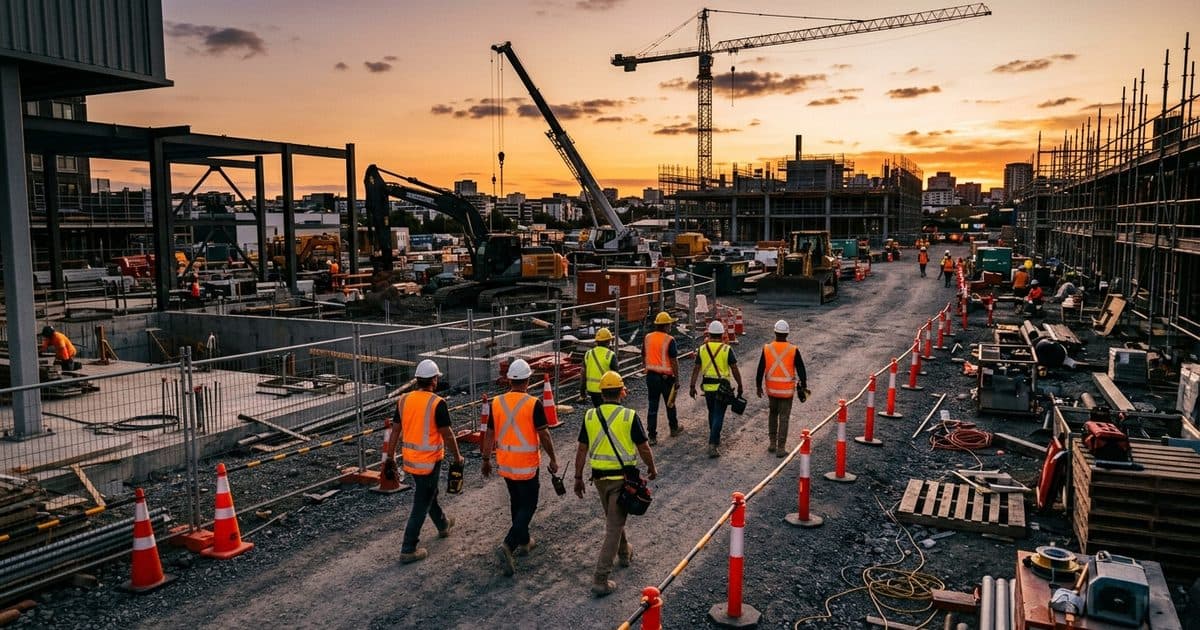
What PPE detection looks for
The software detects people in the frame and then checks for equipment on them. Common checks include:
- Hard hats on heads in required zones
- High-visibility vests or clothing
- Presence in a restricted or hazardous area, with or without the right gear
- In some systems, other items such as gloves or eye protection, where image quality allows
What it checks depends on the system and what the camera can see. Small items at a distance are harder to detect than large, brightly colored ones. Ask any provider to be specific about which items it detects and under what conditions.
How alerts are used
An alert is useful only if someone acts on it. A practical setup looks like this:
- A defined zone, such as the entrance, an excavation edge, or an active work area, is set up with the required gear.
- The system flags a person who appears to be missing it.
- A person reviews the alert and the image to confirm it, since software can be wrong.
- A supervisor or safety lead speaks to the worker, corrects the issue and notes any pattern.
Over time, repeated alerts in one spot or shift tell you where the problem is. It could be a gap in supplies, a missing sign, a crew that was never told about a new zone, or a gate that sends people through a hazard. That is often the most valuable use: finding patterns that a single walk-through misses.
For more on this approach, read our guide to AI jobsite safety monitoring and the PPE compliance analytics page.
Where it helps
| Situation | Why video detection helps |
|---|---|
| Large or spread-out sites | One safety lead cannot be everywhere at once |
| Gate and entry points | Every worker passes the same spot, so gaps show up fast |
| Early mornings and late shifts | Fewer supervisors present |
| Multi-contractor sites | Different crews follow different habits |
| Remote sites | No one nearby to notice a missed vest |
It also gives you a record of what happened, which supports toolbox talks, audits and incident reviews.
What it cannot do
PPE detection has real limits, and an honest program accounts for them.
- It sees only what the camera can see. Distance, angle, dust, rain, glare and darkness all reduce reliability.
- It cannot judge fit or rating. A camera can tell that a hard hat is present, not that it is the right type, fastened or in good condition.
- It can miss and it can mistake. A person in a yellow jacket may be flagged as wearing a vest, and a half-hidden worker may be missed. Alerts need a human check.
- It cannot correct anything. It identifies a gap. A person must resolve it.
- It does not replace training, supervision or a safety program. It supports them.
If you want to know how a provider manages mistaken alerts, ask. Our piece on reducing false alarms in video analytics explains what good tuning looks like.
Rolling it out on a real site
A pilot is easier to manage than a full launch. Start with one or two zones where the requirement is clear and the camera view is good, such as the main entrance and one active work area. Then:
- Set a review rhythm. Look at the alerts weekly with the safety lead and the superintendent, and note which are correct and which are not.
- Fix the causes you find. If many alerts come from one gate, the answer may be a sign, a supply point or a different walking route, not a stricter reminder.
- Tune before you expand. Adjust zones, angles and schedules until alerts are mostly real, then add more areas.
- Share results with the crew. A simple summary of what was found and what changed shows that the system leads to improvements, not just reports.
- Keep the human in the loop. Someone should always confirm an alert before it becomes a conversation with a worker.
Sites that use cameras for security as well as safety can combine both on the same equipment. Our overview of construction site monitoring explains how those uses fit together.
Worker privacy and communication
The way you introduce PPE detection often decides whether it helps or backfires. Workers who feel watched in secret tend to resent it, and a program built on resentment does not improve safety.
Good practice:
- Tell the crew first. Explain what the cameras check, where, and why.
- State what alerts are for. Make it clear that the goal is a safer site, and say plainly how alerts will and will not be used in discipline.
- Keep the scope narrow. Check for gear and zone entry. Do not widen it into tracking breaks or conversations.
- Limit who sees the footage. Restrict access and retention to what you need.
- Be consistent. Apply the same standard to everyone, including supervisors and visitors.
- Check local rules. Employee monitoring and notice requirements vary by state, and union agreements may add terms. Confirm with counsel.
A short toolbox talk before you turn it on, and another after the first few weeks to share what you learned, goes a long way.
What to ask a provider
- Which PPE items are detected, and under what camera conditions?
- Does a person check alerts before they reach me?
- Can I set zones, schedules and the equipment required in each?
- How are images and video stored, and for how long?
- Can the system run on a site with no power or internet?
- What reporting do I get on patterns over time?
How VDS fits
VDS's platform has a PPE compliance analytics page, and its AI detection covers people, vehicles, loitering, objects and license plates. A solar-powered mobile surveillance unit needs no site power, internet or trenching, so it can go where a construction project needs eyes. The 24/7 US-based security operations center verifies events, so cameras do the watching and people, yours or your security partner's, handle verified incidents.
See the construction page or talk to our team about your site.