
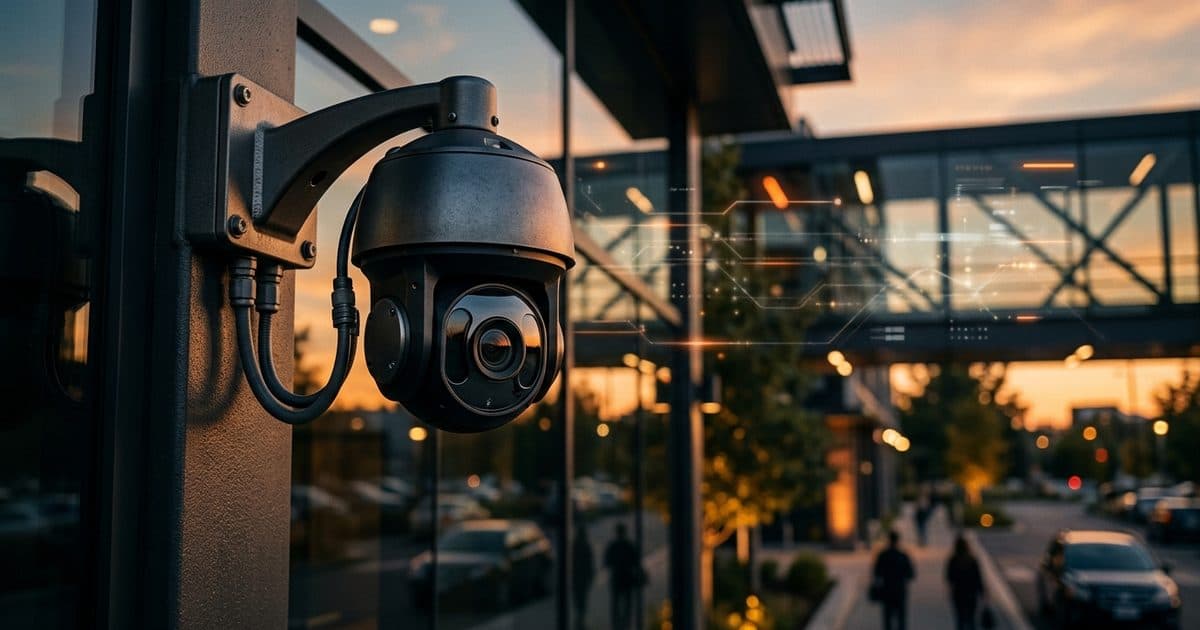
Why tampering is its own problem
Most alerts report something happening in the scene. A tamper alert reports that the camera has stopped being a reliable witness. Someone who wants to steal, vandalize or trespass often deals with the camera first, because a blind camera removes the evidence and the deterrent at once.
The danger is that a tampered camera usually looks fine from a distance. It stays on the wall, the status light may stay lit, and the system reports it as online. Without a tamper alert, the problem might surface days later, when someone reviews footage after an incident and finds a black frame or a wall of paint.
How tamper detection works
The camera, or the analytics behind it, compares the live image against a learned reference of what the scene normally looks like. When the image departs from that reference in a sudden, large way that does not fit ordinary scene activity, it flags a possible tamper.
This is a video analysis feature, not a physical sensor. Some devices also include accelerometers or enclosure switches that detect a knock or an opened housing, but image-based detection is the most common form and the one that works for paint, covers and redirection.
What tamper alerts catch
The table below lists the usual categories and what each one looks like to the system.
| Tamper type | What the image shows | Typical cause |
|---|---|---|
| Blocked or covered | Mostly dark, uniform or filled by a close object | Cloth, tape, a bag or a hand over the lens |
| Spray-painted | Sudden solid color or smear across the view | Paint applied to the dome, window or lens |
| Moved or redirected | Scene changes to a different view | Camera physically turned, tilted or knocked |
| Defocused | Image goes soft and loses detail | Lens twisted, or something smeared on it |
| Lights out or glare | Image washes out or goes black | Bright light aimed at the lens, or lights disabled |
| Scene change | Reference no longer matches the view | Large object moved into view, or a mount that sagged |
Not every system handles every row equally. Ask which conditions a given camera or platform actually detects, and test them rather than assuming.
What tamper detection does not catch
Tamper detection has limits worth knowing.
- It does not detect a cut cable or a lost connection. That shows up as the camera going offline, which is a separate health alert.
- It does not detect a jammed radio signal on its own. Wireless interference is a related but different problem, covered in Wi-Fi jammers and security cameras.
- It does not stop a determined person who approaches from outside the field of view and acts quickly.
- It does not guarantee a slow change, such as gradual lens fogging or sun damage, will be flagged. A slow drift may look like normal variation.
Treat tamper alerts as one layer. Camera health, network status and regular physical checks belong alongside them. See the security camera maintenance checklist for the routine side.
Tuning to avoid false alarms
A system that cries wolf gets ignored, so tuning matters.
- Set a delay. Require the tamper condition to persist for a short time before alerting, so that a passing shadow or a flash does not trigger it.
- Adjust sensitivity to the scene. A busy intersection and a quiet fenced yard need different thresholds.
- Account for weather. Heavy rain, snow, fog and condensation can resemble a blocked lens.
- Watch for night insects and glare. Insects drawn to infrared light and headlights sweeping the lens are common nuisance triggers.
- Test after changes. Cover the lens deliberately and confirm the alert fires, then confirm it does not fire in ordinary conditions.
A response workflow that works
An alert needs an owner and a sequence. Here is a simple workflow.
- Receive the alert. Route it to someone who is actually watching, not to an inbox that gets checked tomorrow.
- Look at the camera. Pull up the live image and a short stretch of video from before the alert. Decide whether it is a real tamper, an environmental cause or a fault.
- Check neighbors. Look at nearby cameras for a person or vehicle near the affected unit. The tamper may be the first sign of an intrusion.
- Act on the site. If a person is present, respond according to your plan, including speaking to them or dispatching help. See video-verified alarm response.
- Escalate the physical visit. If the camera needs cleaning, re-aiming or repair, send someone and note it as open until fixed.
- Document. Save clips and record the time, cause and fix, following your incident reporting workflow.
The important step is the second one. The alert is a prompt to look, not a conclusion.
Reducing the chance of tampering
Detection tells you after the fact. Design reduces how often it happens.
- Mount cameras out of easy reach, while keeping enough detail on the scene.
- Use tamper-resistant housings and domes where vandalism is likely.
- Cover each camera with another one, so that an approach to one is visible from a second angle.
- Light the area, since people are less willing to act under visible lighting.
- Secure the network side as well. Cable access, switches and ports are part of the system, as described in security camera cybersecurity.
Overlapping views are the strongest of these, because they turn a single point of failure into something that gets recorded.
How VDS fits
VDS mobile surveillance units put a 5MP PTZ camera with 25x optical zoom and three 8MP wide-angle cameras on a 22 ft telescopic mast, which keeps the cameras well out of easy reach and gives overlapping views of the surrounding area. AI detection for people, vehicles and loitering flags activity near the unit, and a 24/7 US-based security operations center verifies events and can respond with live talk-down through a loudspeaker, then police dispatch with video. That lets people, yours or your security partner's, handle verified incidents. See the mobile surveillance unit or talk to our team about your site.