
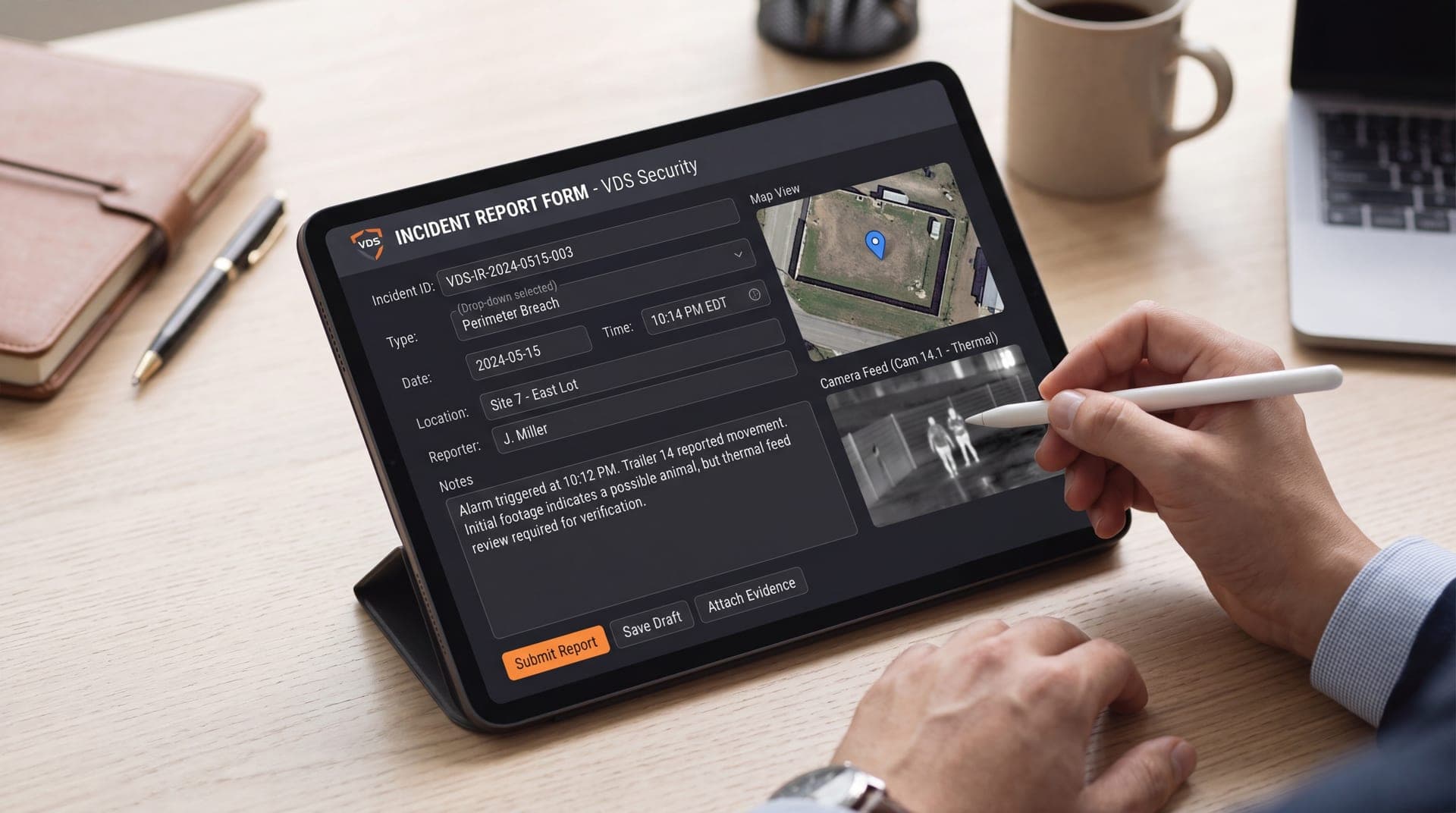
This guide gives you a simple security camera incident reporting workflow you can standardize across sites, plus a template you can copy for internal use.
Why An Incident Reporting Workflow Matters
Video is only valuable if it’s searchable, exportable, and tied to a clear narrative. A consistent workflow reduces the most common failures:
Missing The Window Before Footage Overwrites
No Record Of Who Did What And When
Clips Exported Without Context (No Timeline, No Camera IDs)
Slow Escalation To The Right Person
Inconsistent Follow-Up Across Locations
If you already use professional monitoring, a workflow becomes even more powerful because escalation and documentation can be standardized. Explore our remote video monitoring services to see the Vision Detection Systems difference.
What “Good” Incident Documentation Includes
A complete incident report should answer four questions quickly:
What Happened
When It Happened (Timestamp and Time Zone)
Where It Happened (Site, Camera, and Zone)
What Was Done (Actions, Notifications, and Outcome)
If any of these are missing, investigations slow down and evidence becomes harder to use.

Security Camera Incident Reporting Workflow: Step-By-Step Guide
Step 1: Confirm The Incident And Lock The Timeframe
Start by identifying the earliest possible time the incident occurred and the latest time it could have occurred.
Record The Earliest Known Time
Record The Latest Known Time
Add A Buffer Window (Example: +15 Minutes)
Note Who Reported It And How (Staff, Customer, Alarm, Police)
Step 2: Identify The Camera List and Map The Path
Pull the cameras that show:
Approach
Action
Exit
Avoid relying on a single wide overview camera. Use overlapping views whenever possible (especially in lots, entrances, and drive lanes).
If you’re building a parking lot plan, pair this workflow with a parking lot surveillance approach that reduces blind spots:
Step 3: Preserve Video Before You Do Anything Else
Preservation prevents accidental overwrite and protects the chain of evidence.
Bookmark or tag the event in the video management system
Export the primary clip (action)
Export supporting clips (approach and exit)
Save still frames if helpful (face, vehicle, plate, clothing)
Store clips in a secure folder with restricted access
If your team struggles to pull footage quickly, consider a dedicated video retrieval service: /services/video-retrieval.
Step 4: Write The Incident Timeline
Keep it clean and objective. Describe what is visible and what actions were taken. Example timeline:
10:42 PM — Subject Enters From South Entrance
10:44 PM — Subject Approaches Vehicle Row D
10:45 PM — Window Break Observed
10:46 PM — Subject Exits Toward East Drive Lane
10:49 PM — Manager Notified, Clip Preserved And Exported
Step 5: Escalate Based On Incident Type
Different incidents require different escalation paths. Define these in advance.
Theft/Vandalism: Notify Site Lead, Security, Law Enforcement As Needed
Liability/Injury: Notify Management and Risk/Insurance Contact
HR/Internal: Notify HR and Leadership, Restrict Access To Clips
Vehicle Incidents: Preserve Entry/Exit Cameras, Capture Plate If Possible
If vehicle identification matters, add license plate recognition cameras at chokepoints.
Step 6: Close The Loop And Log Outcomes
This is where most teams fail. Closeout creates accountability and makes patterns visible.
Outcome Recorded (Police Report Filed, Claim Submitted, Suspect ID, No Action)
Follow-Up Actions (Lighting Repair, Camera Reposition, Access Control Fix)
Prevention Notes (What Would Have Made This Easier Next Time)
If issues repeat, you likely need monitoring plus operational reporting—especially across multiple sites get professional remote video monitoring.
Incident Reporting Template
Use this exactly as-is and standardize it across your sites.
Incident Report ID:
Date Logged:
Logged By:
Site Name / Address:
Incident Type:
Theft
Vandalism
Vehicle Damage/Collision
Injury/Slip And Fall
Unauthorized Access
Other:
Reported By:
Discovery Method:
Staff Report
Customer Report
Alarm / Analytics Alert
Law Enforcement
Other:
Estimated Incident Window:
Earliest Possible Time:
Latest Possible Time:
Time Zone:
Camera List Used:
Camera Name/ID:
Camera Name/ID:
Camera Name/ID:
Timeline Summary:
Evidence Preserved:
Clip 1 Name + Time Range:
Clip 2 Name + Time Range:
Still Images Saved: Yes/No
Storage Location/Folder:
Actions Taken:
Notified:
Dispatched:
Police Case #:
Insurance Claim #:
Outcome / Status:
Open
Closed
Pending Investigation
Notes:
Follow-Up / Prevention Actions:
Common Mistakes To Avoid
These are the repeat offenders that break incident response:
Waiting To Export Until Later
Not Capturing Approach And Exit
Not Recording The Time Zone
Exporting Clips Without Camera Names Or Locations
Allowing Too Many People To Access Or Share Footage
Skipping Closeout Notes (So Patterns Never Get Fixed)
If your system regularly overwrites footage before you can pull it, tighten your retention policy and validate with a retrieval drill. see the security video retention guide: /guides/security-video-retention).
Where This Workflow Fits Best
This workflow is especially useful for:
Construction sites with shifting risk zones need construction site security services.
Parking lots and retail properties with after-hours incidents. Learn how parking lot surveillance cameras provide 24/7 monitoring solutions
Multi-Site Operations That Need Consistent Documentation And Escalation
Temporary deployments using mobile surveillance security trailers
Turn Footage Into Action: Standardize Incident Reporting and Get Help Fast
If incidents are happening and your team is scrambling for footage, the fix isn’t “more cameras.” It’s a repeatable incident reporting workflow, evidence-ready exports, and an escalation plan t