
What makes a senior living campus different
A senior living community is a home first. Residents want to walk the grounds, sit outside and have family visit freely. At the same time, many residents are more vulnerable to scams, wandering, falls and opportunistic crime than the general public, and staff are often thin at night.
That tension shapes every security decision. A plan that works for an office park, with locked doors and obvious cameras everywhere, can feel wrong in a place where people live. The better approach is layered and mostly invisible: good lighting, controlled entry points, clear sightlines and cameras placed at the edges and approaches.
Cover the perimeter and approaches
The perimeter is where you gain time. If you can see someone approach the property, you can act before they reach a building or a resident.
Walk the full boundary and note where it is open, where fences are low, where landscaping blocks views and where neighboring property meets yours. Pay attention to back lots, service roads, parking behind buildings and any spot where a car can pull up unseen.
Field of view matters here. A wide-angle camera sees a broad area but shows less detail on faces and plates, while a PTZ camera can zoom in on something specific when needed. Our security camera field of view guide explains how to match each to the area. Detection that flags people and vehicles in zones that should be empty after dark, such as a back lot or fence line, helps staff avoid watching video all night.
Manage visitor flow without friction
Families, clinicians, deliveries, contractors and volunteers all arrive during the day. Most are expected. The risk comes from the visitor who is not.
A few practical steps help:
- Funnel visitors through one or two main entrances during open hours.
- Use a sign-in process, and have staff greet everyone at the door.
- Put a camera on each entrance and on the parking area nearest it, so you have a record of who arrived and when.
- Keep service and delivery entrances separate and covered.
- Lock or restrict secondary doors after hours, and cover them with cameras.
Cameras support the process. They do not replace the person at the front desk. If your campus has gated vehicle access, see our guide to automated gate access and LPR for how plate reading can fit in.
Protect residents, especially after hours
Overnight is when staffing is lowest and exterior risk is often highest. Cameras with detection can watch doors, courtyards and parking while staff focus on care.
Some campuses also worry about residents who may leave a building unaccompanied. Exterior cameras and loitering or person detection near exits can alert staff to someone outside at an unusual hour. How you use that, and how you balance it with resident autonomy, is a policy question for your leadership, clinical team and counsel. Technology should support the plan, not set it.
For general after-hours planning, our guide to after-hours security for businesses covers how monitoring fits when no one is on site.
Respect privacy, and say so
Privacy is not an afterthought in this setting. It is part of the product you offer residents and families.
- Place cameras on exteriors, entrances, parking and shared common areas.
- Do not place cameras in resident rooms, bathrooms or other private spaces.
- Post notice at entrances and tell residents and families what is recorded.
- Decide who can view live and recorded video, and write that down.
- Set a retention period and a process for sharing footage with police.
Rules on recording, audio and notice vary by state, and healthcare settings may have additional obligations. Confirm your policy with counsel. For handing video to law enforcement, see how to share security footage with police.
Quick reference by area
| Area | Main concern | Approach |
|---|---|---|
| Main entrance | Unknown visitors, tailgating | Camera on door plus sign-in process |
| Parking lots | Vehicle break-ins, loitering | Wide view with night coverage |
| Loading dock and service entrance | Unauthorized access, theft | Separate camera and after-hours alerts |
| Perimeter and fence line | Trespass, unseen approach | Wide-angle plus PTZ, detection in empty zones |
| Courtyards and walking paths | Resident safety at night | Lighting and exterior-only cameras |
| Construction or expansion zones | Equipment theft, open buildings | Temporary solar-powered coverage |
Cover construction and expansion projects
Many campuses add wings, renovate buildings or build new units while residents stay on site. Open construction zones attract theft and create safety concerns near residents. Temporary coverage that needs no site power or internet is useful here, because it can go up quickly and come down when the project ends. Our guide to residential construction site security covers the basics.
Build a simple response plan
Technology only helps if people know what to do when it flags something. Write a short plan that names who receives alerts, who goes to check, who is called next and when family or leadership is told. Keep the steps few enough that a night-shift employee can follow them without a manual.
Run a walk-through with staff at least once. Ask what they would do if a person were seen at a back door at 2 a.m., if a vehicle stayed in the lot with no one inside, or if a visitor refused to sign in. The gaps you find in that conversation are cheaper to fix than the gaps you find during a real incident. Review the plan after any event and whenever the campus layout changes.
How VDS fits
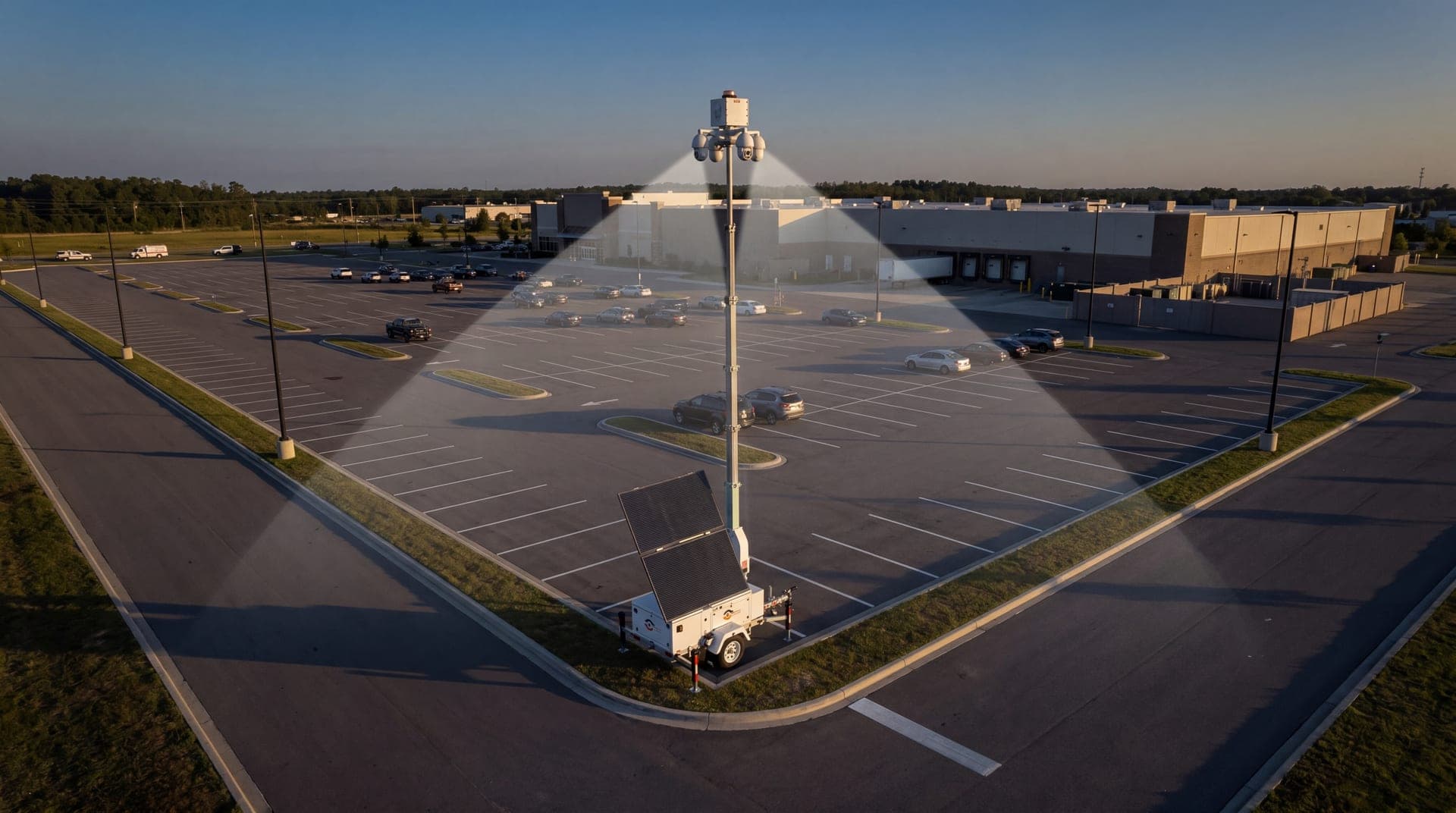
VDS builds solar-powered mobile surveillance units for sites that lack power, internet or room to trench. Each unit has a 5MP PTZ with 25x optical zoom and three 8MP wide-angle cameras on a 22 ft telescopic mast, a 900W bifacial solar array, an 11.8 kWh LiFePO4 battery bank with reserve for 3 to 5 consecutive cloudy days, and dual-SIM 4G/5G cellular.
AI detection covers people, vehicles, loitering, objects and license plates. Our 24/7 US-based security operations center verifies events, uses live talk-down through a loudspeaker, and dispatches police with video when needed, so your staff or security partner handle verified incidents. Most deployments reach live monitoring in about a week. Learn more about the mobile surveillance unit, or talk to our team or call (410) 401-1986.