
Start with the load, not the camera
Most undersized systems fail because the load was estimated from a single camera's rated power. A real surveillance system draws power in several places at once.
- Cameras, including infrared illuminators that switch on at night.
- Pan-tilt-zoom motors when the camera is actively touring or tracking.
- Heaters and fans that run in cold or hot weather.
- The cellular modem or router, which usually runs around the clock.
- Any on-site recorder, analytics hardware, speaker, strobe or light.
- Power conversion losses between the battery and each device.
Write down each device's average draw in watts and the hours per day it runs. Multiply the two to get watt-hours per day, then add the rows. Use average draw, not the label maximum, but include the night-time and cold-weather states, since those are the worst case. If a spec sheet only gives a peak figure, ask the manufacturer for typical consumption.
What peak sun hours actually mean
A solar panel does not produce its rated output all day. Output rises and falls with the sun's angle, cloud cover and atmosphere. Peak sun hours compress that curve into one number: the count of hours per day where sunlight, added up, equals full-intensity midday sun. Four peak sun hours does not mean four hours of daylight. It means the whole day delivered the energy of four hours at full strength.
This value changes with latitude, season and local weather. Winter values are lower than summer values, often by a wide margin in northern states. Public solar resource maps and tools publish typical figures by location. Pick the number for the worst month you will operate in, not the annual average, because the system has to work in December as well as June.
The sizing steps
The sequence below applies to any off-grid camera, whether it is a single pole-mounted unit or a full trailer.
- Calculate daily load in watt-hours from the device list.
- Pick the peak sun hours for your site in the worst operating month.
- Divide daily load by peak sun hours to get the minimum array wattage before losses.
- Increase that number to cover losses in the charge controller, wiring, panel soiling and heat.
- Size the battery for the load times the number of reserve days, adjusted for usable capacity.
- Check that the array can also recharge the reserve after a run of bad weather.
Step six is the one people skip. A battery that carries three cloudy days is only useful if the panels can refill it before the next stretch of clouds. If the array only just covers the daily load, the battery never recovers. Extra array capacity is what turns a reserve into a working buffer.
Sizing the cloudy-day reserve
Reserve, sometimes called autonomy, is the number of days the system can run with little or no solar input. A longer reserve costs more battery weight and capital, so match it to the consequence of an outage. A construction site that is only watched overnight can tolerate a shorter reserve than a remote asset where a dark camera means a gap in protection with no one nearby.
Also account for how the battery is used. Batteries should not be drained to zero, so only part of the nameplate capacity is usable. The usable fraction depends on chemistry, and it shrinks further in cold weather. Our guide on solar security camera battery life covers how those factors combine, and the winter operations guide covers the cold-weather side.
Quick reference
| Input | Where it comes from | Common mistake |
|---|---|---|
| Daily load (Wh) | Device watts times hours of use | Using one camera's rating instead of the whole system |
| Peak sun hours | Solar resource data for your location | Using annual average instead of the worst month |
| Loss margin | Controller, wiring, soiling, heat | Assuming panels deliver full rated output |
| Reserve days | Your tolerance for an outage | Choosing a reserve the array cannot recharge |
| Usable battery fraction | Battery chemistry and temperature | Counting 100% of nameplate capacity |
Placement changes the math
A correctly sized array still underperforms if it is shaded. Trees, buildings, the trailer's own mast and nearby equipment can all cut harvest, and shading on part of a panel can hurt more than the covered area suggests. Orientation and tilt matter too. In the northern hemisphere, panels face south and are tilted for the season that matters most, which for a year-round system is usually winter.
Dust, snow and bird droppings also reduce output. Systems in dusty or industrial settings should include a cleaning routine in their maintenance plan. For the wider picture of running cameras with no grid connection, see security cameras without WiFi or power.
How a solar trailer handles this
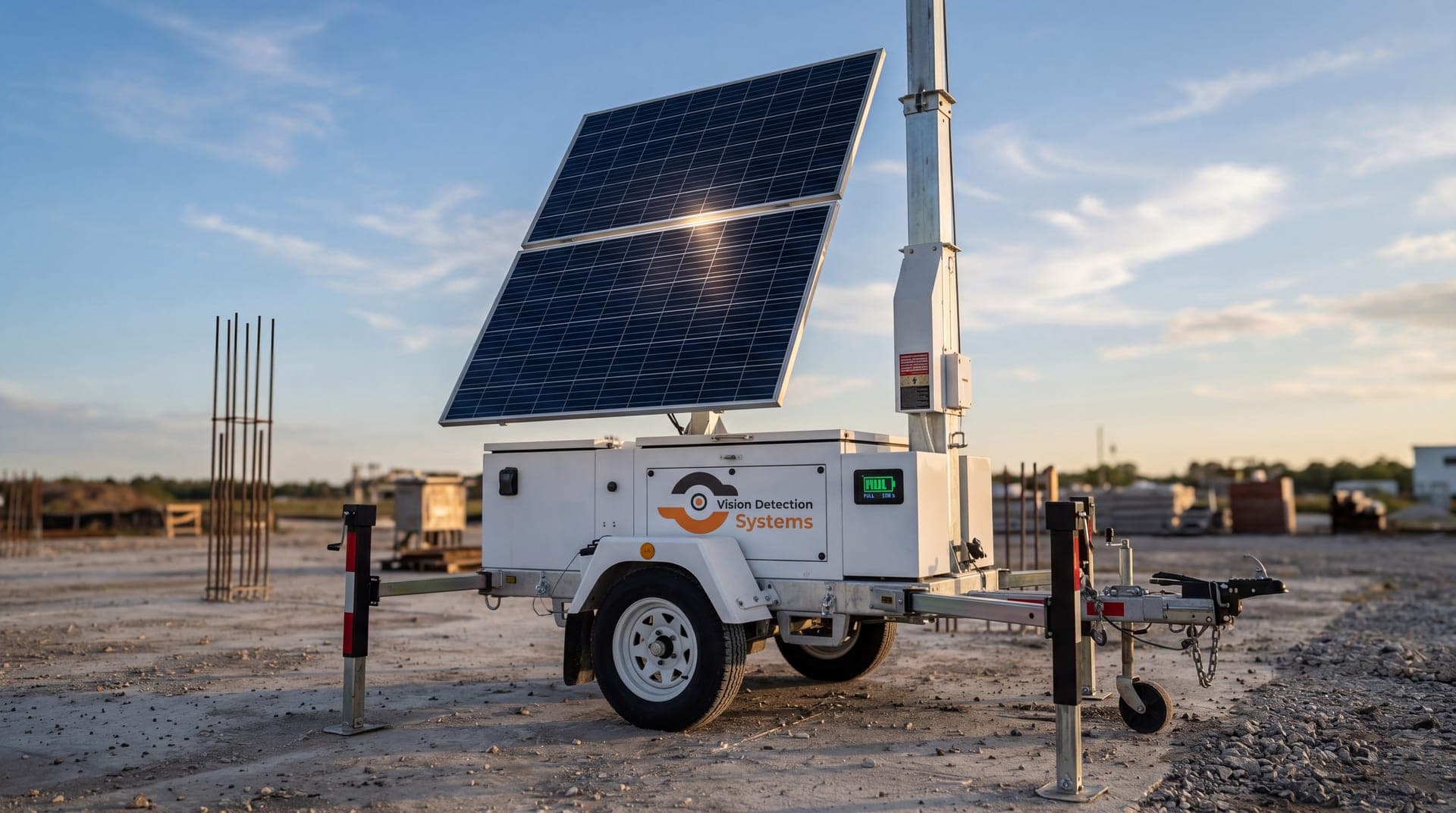
A mobile unit packages the sizing work so the buyer does not have to do it. The VDS mobile surveillance unit uses a 900W bifacial solar array charging an 11.8 kWh LiFePO4 battery bank, with reserve for 3-5 consecutive cloudy days. It carries a 5MP PTZ camera with 25x optical zoom and three 8MP wide-angle cameras on a 22 ft telescopic mast, with dual-SIM 4G/5G cellular. It needs no site power, internet or trenching.
That does not remove the need for judgment. Site shading, the season and any additional equipment you plan to add all still affect how the system performs, so share them up front. The solar surveillance trailer guide explains the design in more detail, and the mobile surveillance unit page lists the configuration.
Questions to ask any solar camera vendor
- What daily load did you assume, and which devices are included?
- Which peak sun hour value did you use, and for which month and location?
- How many days of reserve does the battery provide, and at what usable capacity?
- Can the array recharge the reserve after a cloudy stretch?
- What happens to performance in the cold?
- How is the array cleaned and inspected over time?
A vendor who can answer these with specifics has done the sizing. One who answers with a single number and no assumptions has not. If you would like to walk through a specific site, talk to our team.