
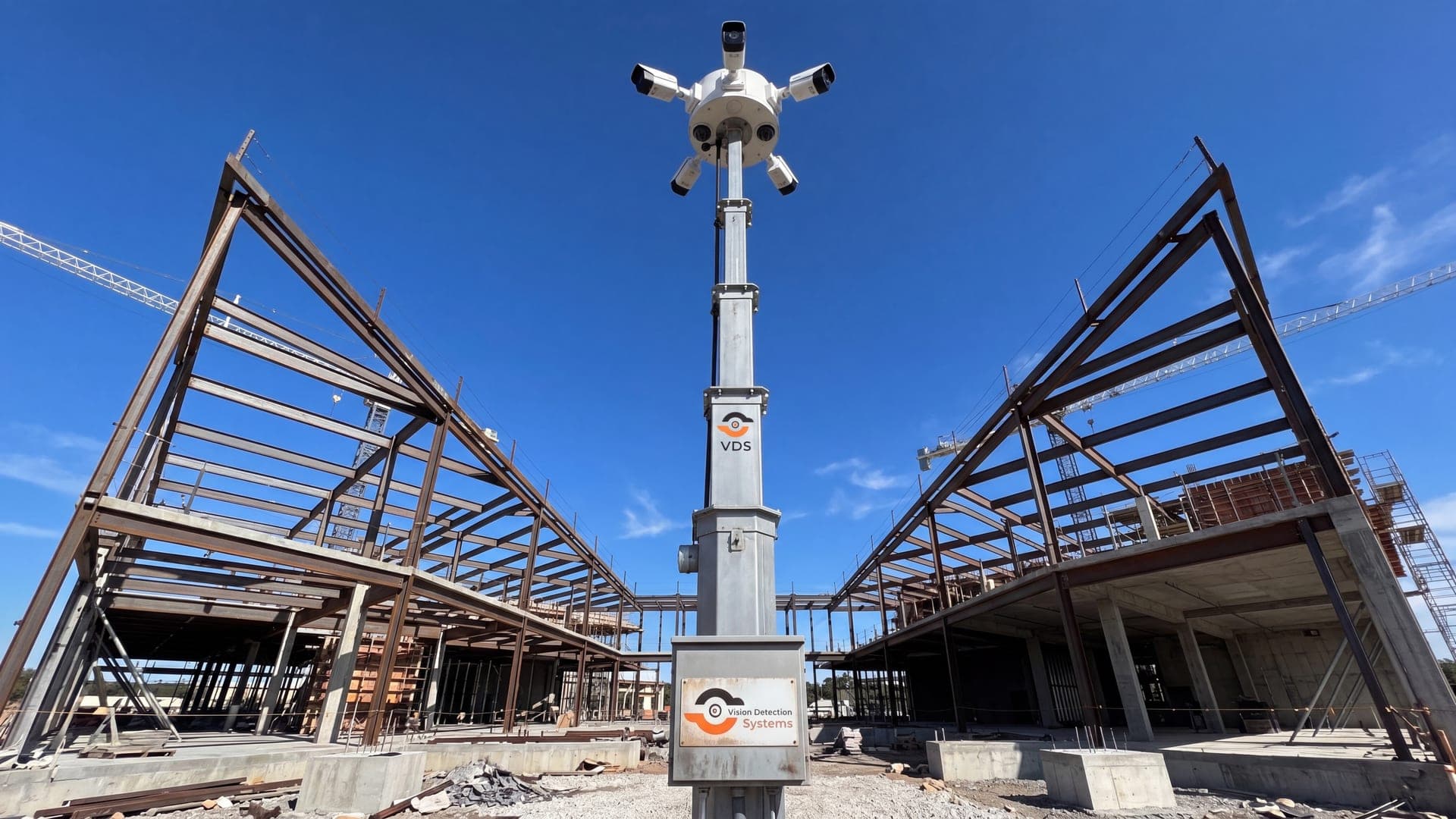
Why Construction Jobsites Need a Different Camera Approach
A storefront has fixed power, a network closet, and a perimeter that doesn't move. A jobsite has none of that. The fence line shifts as the building goes up, power often doesn't arrive until framing or later, and the site sits empty nights and weekends when theft risk peaks.
The assets at risk are also unusually portable. Copper wire, compact equipment, generators, and fuel can be loaded and gone in minutes. According to the National Insurance Crime Bureau, equipment theft losses are estimated between $300 million and $1 billion annually, and recovery rates for stolen heavy equipment remain low—once a machine leaves the site, it rarely comes back. That reality should drive your camera decision more than resolution specs or megapixel counts.
The 6 Types of Construction Site Security Cameras
Most products marketed as "construction cameras" fall into one of six categories. They are not interchangeable, and picking the wrong one for your phase is the single most common mistake contractors make.
- Time-lapse/progress cameras: Fixed-position cameras that capture daily or hourly stills to document build progress for owners, investors, or marketing. They are not monitored, rarely have night vision tuned for detection, and do nothing to stop a loss in progress.
- Consumer jobsite cams: Battery or solar-powered cameras (Ring-style) marketed for small sites. Useful for a single entry point on a small renovation, but battery life, storage limits, and lack of live response make them a poor fit for active commercial sites.
- Wired PoE camera systems: Standard IP cameras run on Power over Ethernet back to a local NVR. Strong image quality, but they require power and cabling infrastructure most jobsites don't have until well into the project.
- Cellular-connected standalone cameras: Self-powered, LTE-connected units that don't need site power or internet. Good for remote entry points or early-phase sites with no infrastructure yet.
- Mobile surveillance trailers: Solar or generator-powered trailer units with multiple cameras, often including AI analytics, LPR, lighting, and two-way talk-down. Deploy in hours, relocate as the site's risk areas shift.
- 32-channel NVR/monitored multi-camera systems: Larger installations tying 16–32+ cameras into a single recorder and monitoring feed, built for multi-gate sites, large laydown yards, or multi-building developments where one or two cameras can't cover the footprint.
Construction Security Camera Comparison
| Camera type | Best for | Power/connectivity needed | Live response? |
|---|---|---|---|
| Time-lapse/progress | Build documentation | Minimal | No |
| Consumer jobsite cam | Small single-entry sites | Battery/Wi-Fi | No |
| Wired PoE system | Sites with existing power | Power + cabling | Varies |
| Cellular standalone | Remote entry points, early phase | None (self-powered) | Varies |
| Mobile surveillance trailer | Full-perimeter active sites | Solar or generator | Yes, with monitoring plan |
| 32-channel NVR system | Large multi-gate/multi-building sites | Power or hybrid | Yes, with monitoring plan |
Features That Matter in a Jobsite Security Camera
Resolution matters less than people assume. These features decide whether a camera actually prevents a loss:
- AI analytics with zone rules: Line-crossing and loitering detection cut false alarms from wind, animals, and passing traffic so operators respond to real threats.
- License plate recognition at the gate: Captures vehicle data on every entry and exit, useful for both access control and post-incident investigation.
- Tamper resistance: Cameras get hit with rocks, spray paint, and tools. Metal housings and tamper alerts matter more on a jobsite than almost anywhere else.
- NDAA compliance: Required for most public-sector and government-funded projects, and increasingly requested by private GCs as a default procurement standard.
- Defined video retention: A camera that overwrites footage after 72 hours is useless if a theft isn't discovered until Monday morning.
- Live monitoring with escalation: Recording documents a loss after it happens. A monitored system with talk-down and dispatch can interrupt one while it's in progress.
For a deeper breakdown of camera types ranked by use case, see our best construction site security cameras comparison.
Matching Cameras to Project Phase and Size
Camera needs change as a project moves from dirt to drywall. Early phases have no infrastructure and high material theft risk; later phases have power available but higher-value finish materials and tools on site.
| Project phase | Primary risk | Recommended setup |
|---|---|---|
| Site prep/excavation | Fuel, equipment theft, trespassing | Mobile surveillance trailer or cellular standalone |
| Framing/structural | Lumber, copper wire theft | Mobile trailer with LPR at gate |
| MEP rough-in | Copper, specialty tools | Trailer or wired PoE if power exists |
| Finish/interior | Fixtures, appliances, vandalism | Wired PoE or 32-channel system for large builds |
| Multi-building/large site | Multiple access points, large yard | 32-channel NVR system with monitoring |
Short single-phase jobs—demolition, a quick renovation, a seasonal laydown yard—rarely justify a permanent install. This is where construction site security cameras rentals make sense: deploy a trailer or standalone unit for the exposure window, then pull it once the risk period ends. Our construction site security guide covers deployment timelines by project type in more detail.
Do You Need a 32-Channel System?
Most single-building commercial jobsites don't. A 32-channel NVR setup makes sense once you're covering multiple gates, a large laydown yard, several active structures, or a site with overlapping subcontractor traffic that a two- or four-camera trailer can't see end to end. Below that threshold, a scalable trailer deployment—or two trailers covering opposite ends of the site—typically costs less and redeploys faster as the site footprint changes.
If your site genuinely needs 32 channels of coverage, confirm the monitoring plan before you commit. A 32-camera feed with nobody watching it in real time is just more footage to review after a loss, not fewer losses.
Placement Basics
Placement decides detection speed more than camera count does. Cover every vehicle entry and exit first—this is where LPR delivers the most value. Then cover material staging areas, fuel and generator storage, and any blind corner created by stacked materials or equipment. Avoid pointing cameras directly into rising or setting sun angles, which wash out footage during the exact hours risk is highest.
What Construction Site Security Cameras Cost
Pricing varies by coverage type. Consumer jobsite cams run $150–$500 per unit with no monitoring. Cellular standalone units typically run $100–$300 per month per camera. Mobile surveillance trailers with monitoring commonly run $800–$1,800 per month depending on camera count, lighting, and LPR. Larger 32-channel installations with monitoring scale based on camera count and site complexity—get a site-specific quote rather than relying on a per-camera average, since gate count and monitoring hours swing the number significantly.
Security Cameras and Builder's Risk Insurance
Insurers increasingly ask about active monitoring, not just camera presence, when underwriting builder's risk policies. Documented video retention, defined escalation procedures, and incident reporting can factor into premium terms and claims outcomes. For a full breakdown of what insurers actually look for, see how construction site security cameras affect builder's risk insurance.
Jobsite safety and security standards also intersect with OSHA recordkeeping expectations around site access and incident documentation—a point worth reviewing with your safety officer; see OSHA's construction resources for current guidance. Industry benchmarks on jobsite risk management are also tracked by the Associated General Contractors of America.
How VDS Protects Construction Sites
VDS deploys mobile surveillance trailers and 32-channel monitored systems matched to your site's phase, footprint, and risk window. Every deployment includes AI zone rules tuned to cut false alarms, LPR at active gates, defined retention so footage doesn't overwrite before someone reviews it, and live monitoring with a documented escalation path—not just a recording sitting on a hard drive. Coverage plans relocate as your site's hotspots shift from excavation to framing to finish work, so you're not paying for the wrong camera at the wrong phase.