
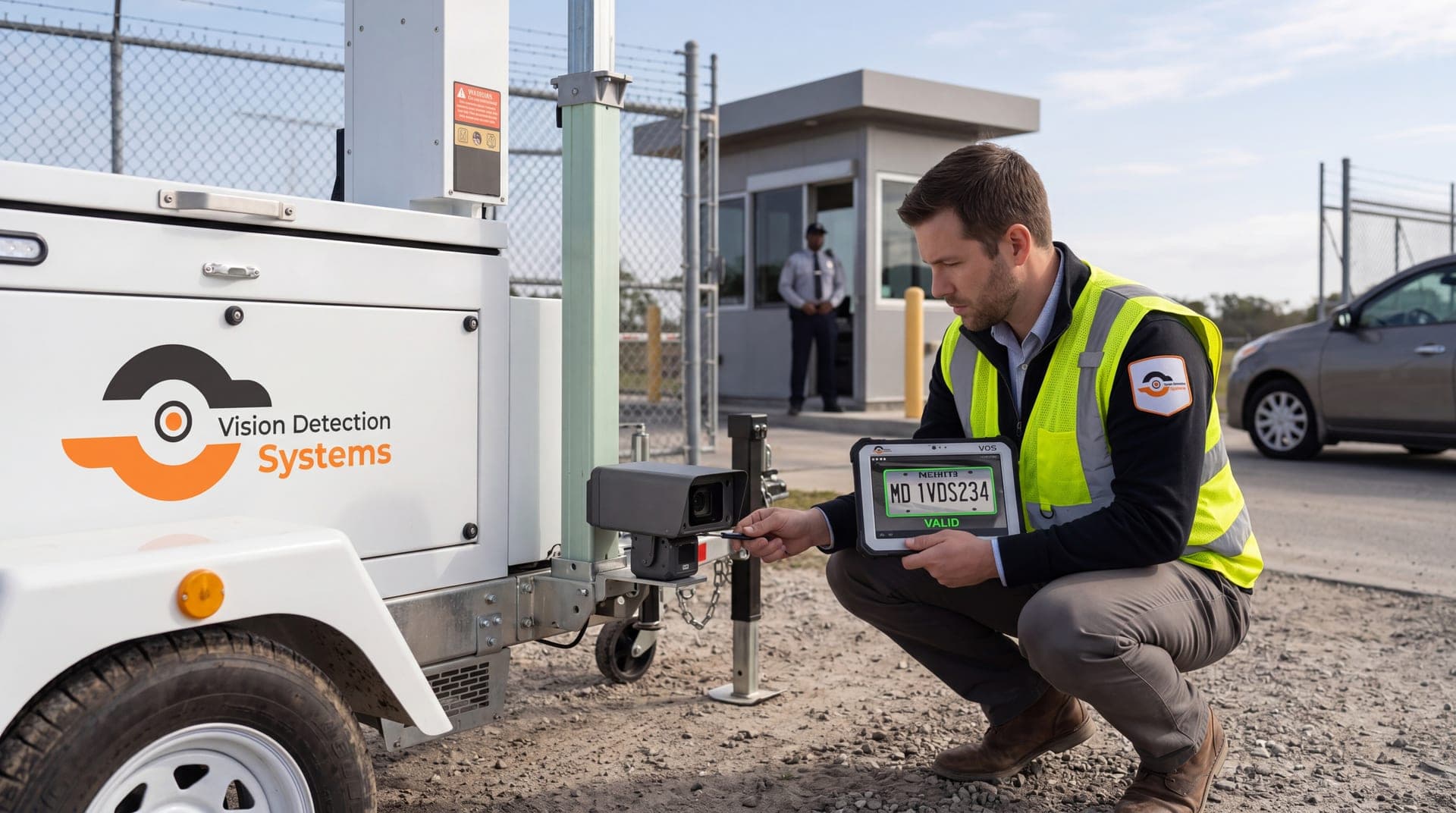
This guide walks through a practical setup process you can use to get reliable plate reads for parking lots, gated entries, commercial facilities, construction sites, and public-sector deployments—plus the workflows that turn plate capture into actual security outcomes.
Quick LPR Setup Checklist
Choose a controlled capture point where vehicles slow down (entrance/exit or gate)
Mount the camera to minimize skew and keep the plate large in frame
Test 20–30 real vehicles through the capture point in daylight
Test 20–30 real vehicles at night to confirm glare and washout are controlled
Confirm timestamps are correct and time-synced
Export a short clip and confirm plate detail is preserved in the export
Define a watchlist and escalation workflow so detections lead to action
Schedule monthly QA checks so accuracy doesn’t drift over time
What Makes LPR Accurate (and What Makes It Fail)
LPR accuracy depends on consistent capture conditions. Your goal is to control variables wherever possible.
Common reasons LPR underperforms:
The camera is aimed at a wide open area instead of a controlled capture point
Plates are too small in the frame (too far away or too wide of a lens)
Vehicles are moving too fast for the exposure/shutter setup
Headlights or fixtures wash out the plate at night
The camera angle creates skew (plate is not close to “head-on”)
Compression/export settings destroy plate detail
No QA process exists (so issues persist unnoticed)
If you only remember one thing: LPR works best at predictable chokepoints with predictable movement.
Step 1: Choose the Right Capture Point
The capture point matters more than the camera model. Pick locations where vehicles naturally slow down and move in a consistent direction.
Best capture points:
Entrances and exits (gates, driveways, access roads)
Chokepoints (single-lane entry, ticket arms, security booths)
Turn lanes where speed is predictable and low
Perimeter access points (service entrances, staff-only drives)
Capture points that usually cause poor results:
Wide open parking lot interiors with unpredictable turning
Multi-lane areas with varied speeds and angles
Long-distance views where plates are a small portion of the frame
Direct line-of-sight into headlights at night
If you’re setting up LPR in a parking environment, start by focusing on a tight, controlled capture point first (typically an entrance or exit) to maximize read accuracy—then expand coverage once performance is proven. For broader parking lot coverage strategy beyond LPR, read how parking lot surveillance cameras provide 24/7 monitoring.
Step 2: Mounting and Placement Basics (Height, Angle, Distance)
Your goal is to reduce “plate skew” and make plates large and clear enough to read consistently.
Placement checklist:
Aim for a direct view of the plate as vehicles approach or pass the capture point
Keep the vertical angle modest (avoid steep “downward” angles that distort plates)
Avoid extreme horizontal angles across lanes (side views create skew)
Keep the plate reasonably large in frame (don’t rely on zooming later)
Use stable mounts to prevent vibration and blur
Confirm the camera’s field of view is locked to the capture zone (not wasted on sky/sidewalk/unused space)
Practical tip: Don’t finalize the mount until you’ve tested real plates at real speeds in real lighting. A “looks good on a diagram” setup often fails in the field.
Step 3: Night Capture and Lighting (Where Most LPR Breaks)
Night is where LPR deployments win or lose. You’re fighting glare, reflective plates, headlights, and uneven lighting.
Night setup priorities:
Avoid aiming directly into headlights or strong fixtures
Reduce high-contrast scenes (bright lights + dark background)
Ensure the capture point has consistent illumination (either existing lighting or dedicated support lighting if available)
Test during actual peak conditions (rainy nights, busy evenings, headlights at full brightness)
Night QA test:
Capture 20–30 real vehicles through the capture point at night
Review results and confirm plates are readable without “guessing”
If reads fail, adjust angle first (often fixes more than “settings” tweaks)
If your team maintains multiple cameras, your maintenance workflow matters. Use security camera maintenance checklist to bake in monthly night checks and retrieval drills.
Step 4: Starter Configuration Checklist (Settings That Usually Matter)
Exact settings depend on hardware and environment, but the principles stay consistent: freeze motion, preserve detail, and keep exposure stable.
Baseline configuration goals:
Reduce motion blur (vehicles moving through the capture zone)
Avoid overexposure (plate washout from headlights/fixtures)
Maintain consistent exposure through the capture point
Preserve plate detail in recorded/exported clips (avoid over-compression)
Operational checks:
Validate time sync (correct timestamp is part of evidence readiness)
Confirm export workflow preserves clarity (some systems degrade detail on export)
Confirm retention meets your needs (footage exists when you need it)
If you’re deploying LPR as part of a monitored security workflow, connect it to remote video monitoring so alerts and verification can be operationalized instead of sitting unused.
Step 5: Alerts, Watchlists, and Reporting Workflow
LPR becomes valuable when it drives action. That requires a defined workflow—not just plate reads.
Define your workflow:
What triggers an alert?
Plate on a watchlist
Repeat presence patterns (if supported)
Entry during restricted hours
Who gets notified?
On-site security
Property manager
Dispatch / law enforcement liaison (when appropriate)
What is the escalation path?
Verify → contact → dispatch → document
How is the incident documented?
Plate number
Time and date
Location/camera ID
Supporting clip export
Notes for follow-up
If you don’t define escalation and documentation, LPR becomes “interesting data” rather than a security tool.
What Data Can LPR Capture (and What It Can’t)
Most buyers assume LPR does more than it always does.
What LPR typically captures:
Plate number
Date and time of detection
Location and camera ID
Plate image (and often a context image of the vehicle)
What LPR can enable operationally:
Watchlists (known vehicles of interest)
Alerts when a watchlisted plate is detected
Search and filtering (by plate, date/time, camera/location)
Optional data in some deployments (only if supported by the platform + analytics package):
Vehicle attributes such as make/model/color
Direction of travel logic across multiple cameras
Advanced search by vehicle appearance
Step 6: QA and Optimization (The Step Most Teams Skip)
The fastest way to improve accuracy is disciplined QA after install and after any site changes.
Post-install QA checklist:
Day test: Capture real plates at real operating speeds
Night test: Confirm plates are readable under glare/headlights
Weather test: Rain/fog conditions often change results
Export test: Confirm the clip export preserves plate clarity
Alert test: Confirm notifications and logs work end-to-end
Ongoing QA:
Monthly: Review a short night clip from each critical LPR camera
Quarterly: Verify mount stability and alignment hasn’t drifted
After site Changes: re-validate capture point (new lighting, new signage, lane changes)
If you’re using mobile deployments, add redeploy validation. For quick coverage without permanent installation, see our mobile surveillance trailers.
Where LPR Works Best by Use Case
Common best-fit environments:
Parking entrances/exits where you can control speed and angle
Gated facilities and secured perimeters
Logistics yards with predictable entry lanes
Construction site entrances for access logging and deterrence
Municipal chokepoints where temporary deployments need rapid visibility
If you’re still deciding between a rapid-deploy option and permanent installs, compare approaches in Remote surveillance trailer vs installed cameras.
What We Need to Recommend the Right LPR Setup
License Plate Recognition Camera FAQs
How do I choose where to place an LPR camera
Start with a controlled capture point—an entrance/exit or chokepoint where vehicles slow down and move in a consistent direction. LPR struggles in open areas with unpredictable turning and speed.
Why does LPR work during the day but fail at night?
Night failures are usually caused by glare and washout from headlights or fixtures, plus inconsistent lighting. Fix angle and capture point first, then validate with real night clips.
Do I need monitoring for LPR to be valuable?
Not always, but monitoring helps when you need fast response, after-hours verification, or consistent escalation and reporting. Learn more about our remote video monitoring products.
Can LPR capture vehicle make/model/color?
In some deployments, vehicle attributes may be available depending on the platform and analytics configuration. The core LPR output is plate number plus time/location/camera ID.
How do I keep LPR accuracy high over time?
Do monthly night-read checks, keep lenses clean, confirm the capture point hasn’t changed, and run periodic export/retrieval tests. Use the “security camera maintenance checklist” → `/10-tips-to-maintain-your-video-surveillance-system/`.
How to Set Up LPR Cameras: Next Steps
If you want accurate LPR results, don’t start by shopping features—start by tightening your capture point, reducing skew, and validating plate readability at night with real clips. Once the camera placement and lighting are right, you can layer on watchlists, alerting, and reporting workflows that turn plate reads into real security outcomes.
If you’re planning LPR for a parking lot, start with a coverage plan that addresses entrances, drive lanes, and nighttime evidenc